FormsDB for Elementor Forms works with Elementor’s Form Builder, which is available in Elementor Pro.
If you do not have Elementor Pro, you can still create and manage forms by installing Hello Plus along with Elementor Free. Hello Plus provides a form builder that is fully compatible with FormsDB, allowing you to save form submissions to Google Sheets or Any Post Type without upgrading to Elementor Pro.
Save Submissions in Google Sheets
Follow the steps below to automatically store Hello Plus form entries in Google Sheets:
- Edit your Hello Plus form using Elementor.
- Navigate to Cool Actions After Submit section.
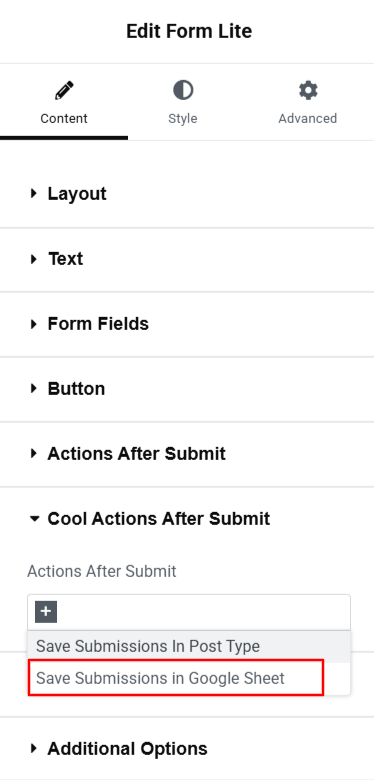
- From the dropdown list, select Save Submissions in Google Sheet.
- A new panel called Save submissions in Google Sheet will appear.
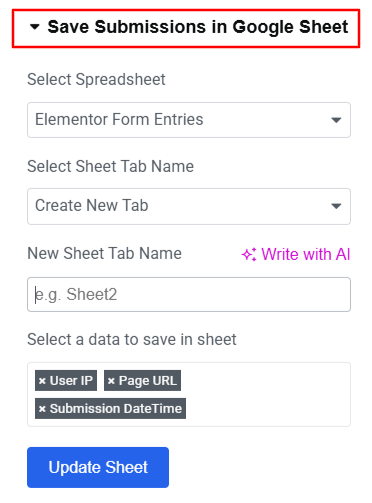
- Select the Google Spreadsheet where you want to store the form entries.
- Enter the Sheet Tab Name.
- Next, select the form data you want to save in the sheet.
- Click Update Sheet to apply the settings.
- After satisfied, publish your page.
Each form submission will now be saved in the selected Google Sheet.
Save Submissions in Any Post Type
Follow the steps below to automatically store Hello Plus form entries in any post type:
- Edit your Hello Plus form using Elementor.
- Scroll to the Cool Actions After Submit section.
- From the dropdown list, select Save Submissions in Post Type.
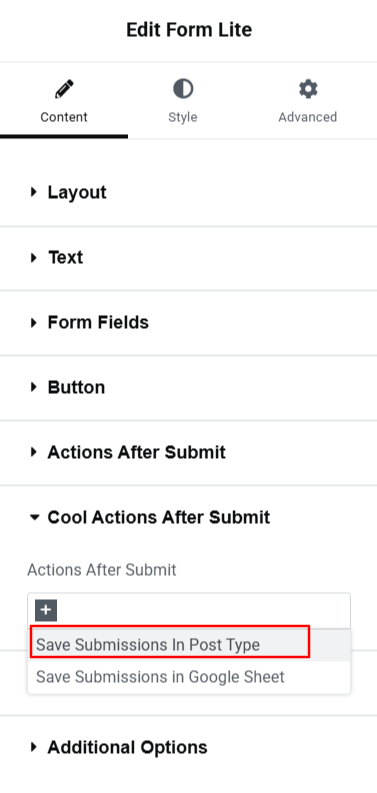
- A new panel called Save submissions in Post Type will appear.
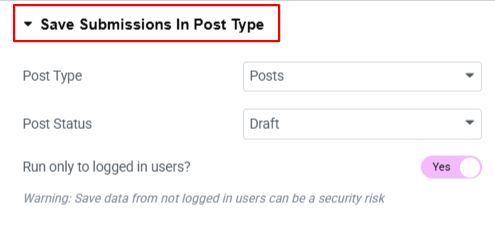
- Post Type: Choose where the form data will be stored in WordPress: Posts, Pages, Media, Floating Elements , or My Templates.
- Post Status: Choose the visibility status of your selected post type.
- Enable Run only to logged in users option, if you want only logged-in users to submit the form and save submissions as posts.
- After enabling Save Submissions in Post Type, the next step is to map your form fields to WordPress post fields.
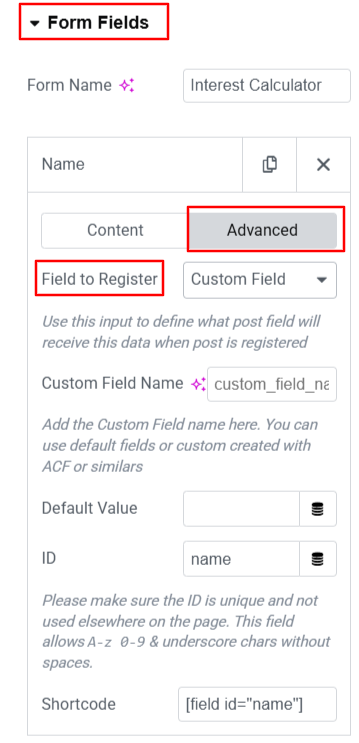
- Navigate to the “Advanced Tab” of the form field that you want to register.
- From the registration options, choose how the field data should be saved: Post Title, Post Content, Post Author, Post Excerpt, or Custom Field.
- Follow the same steps for each form field you want to save as part of the post.
- After satisfied, publish your page.
Each form submission will now be saved as a new post in the selected post type.
Hello Plus Form Entries in WordPress
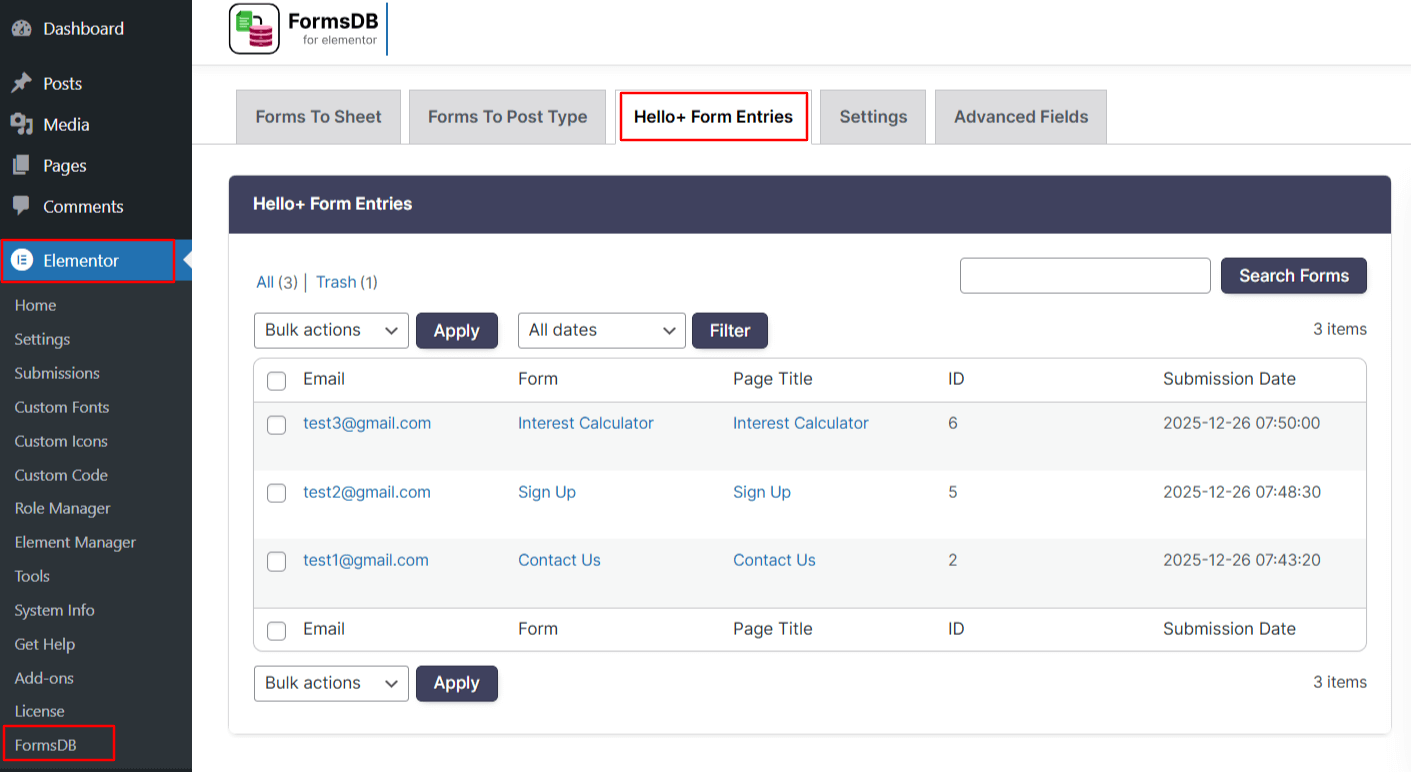
All data entered through forms created using the Hello Plus plugin is stored securely within WordPress. You can view these entries by navigating to: Elementor > FormsDB > Hello Plus Form Entries.