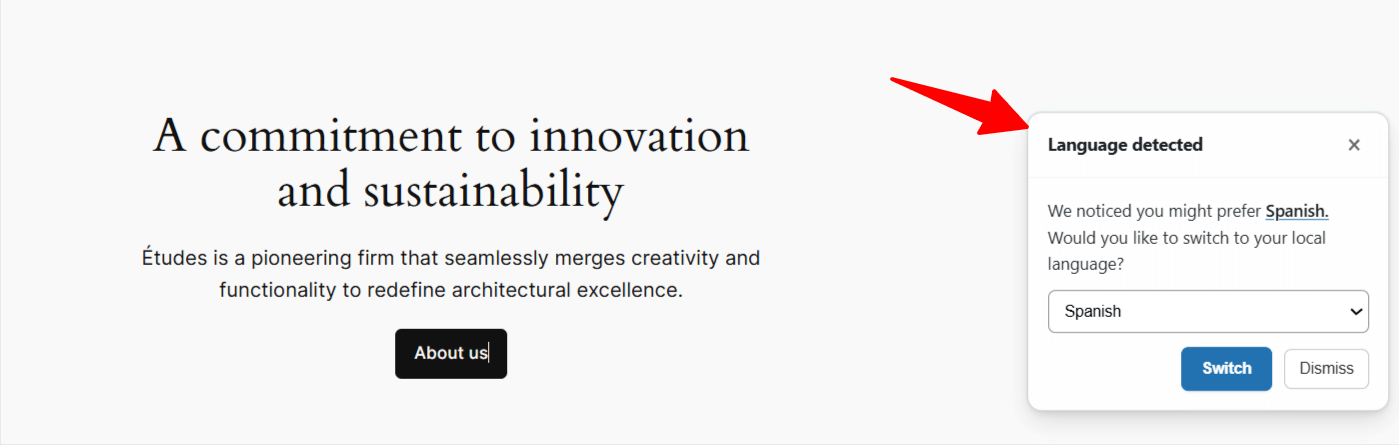


If you are using the TranslatePress plugin, you can easily enable automatic language detection using the AI Translation for TranslatePress plugin.
What is Automatic Language Detection?
The Automatic Language Detection feature helps your website automatically recognize a visitor’s preferred language and suggest switching to it.
The detection method works by analyzing the visitor’s browser language settings or their approximate geographic location (IP address), depending on the setting you choose. If the detected language is different from the current website language, a small notification appears suggesting the visitor switch to the language according to their preferences.
Enable Automatic Language Detection
Follow these steps to enable the automatic language detection feature:
- From your WordPress Dashboard, navigate to Settings > AI Translation (TranslatePress).
- Open the Settings tab.
- Scroll down to the “Automatic Language Detection” section.
- Enable the “Enable language suggestion” option.
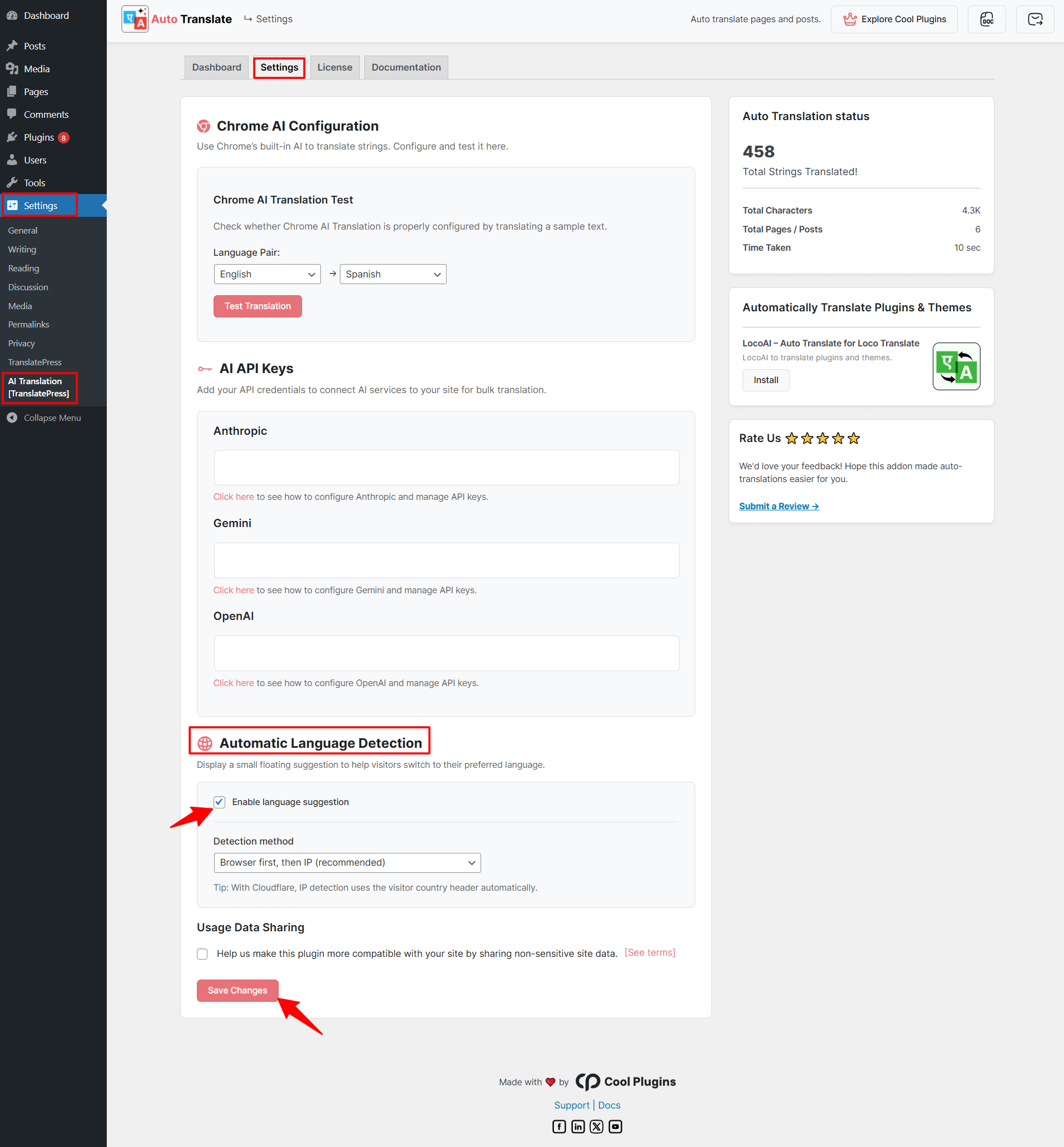
- Next, choose your preferred Detection Method.
- Browser First, Then IP: This method first checks the visitor’s browser language settings. If the browser language cannot be detected, it then uses the visitor’s IP address to identify language based on location.
- IP First, Then Browser: This method first detects the visitor’s language using their IP address (location). If the location cannot determine the language, the plugin then checks the browser language settings.
- Browser Language Only: This method detects the language only from the visitor’s browser settings.
- IP Address Only: This method detects the visitor’s language only from their IP address by identifying their geographic location.
- Click Save Changes.
Once enabled, visitors will see a language suggestion pop-up when a different language is detected.