

If you’re using AI Translation for TranslatePress to translate your web pages automatically, you can integrate Gemini AI for faster translation results.
Why Use Google Gemini?
Using Google Gemini for translation offers a powerful and reliable way to translate content quickly and accurately.
Gemini is designed to understand context, tone, and sentence structure, allowing it to produce translations that feel natural rather than literal. It performs especially well when handling large volumes of content, making it suitable for websites, documentation, and dynamic content.
Automatically Translate Page Content
Follow the steps below to automatically translate your webpage content using Google Gemini:
- Open the page or post you want to translate.
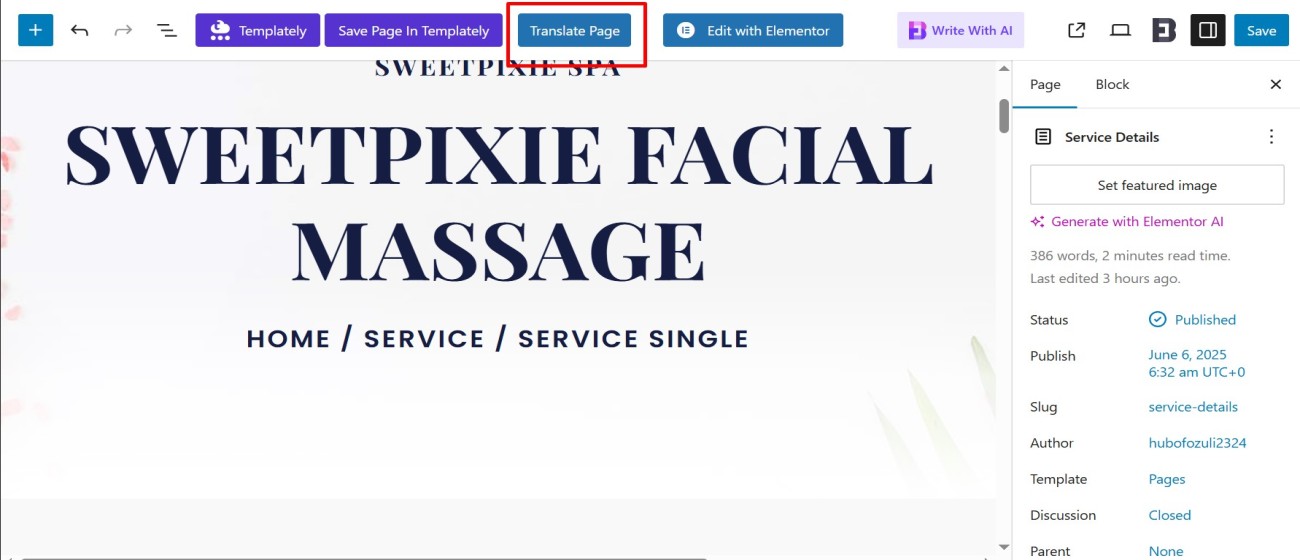
- Click the “Translate Page” button displayed at the top. This will open the live translation editor.
- In the translation editor, select the language you want to translate the page into.
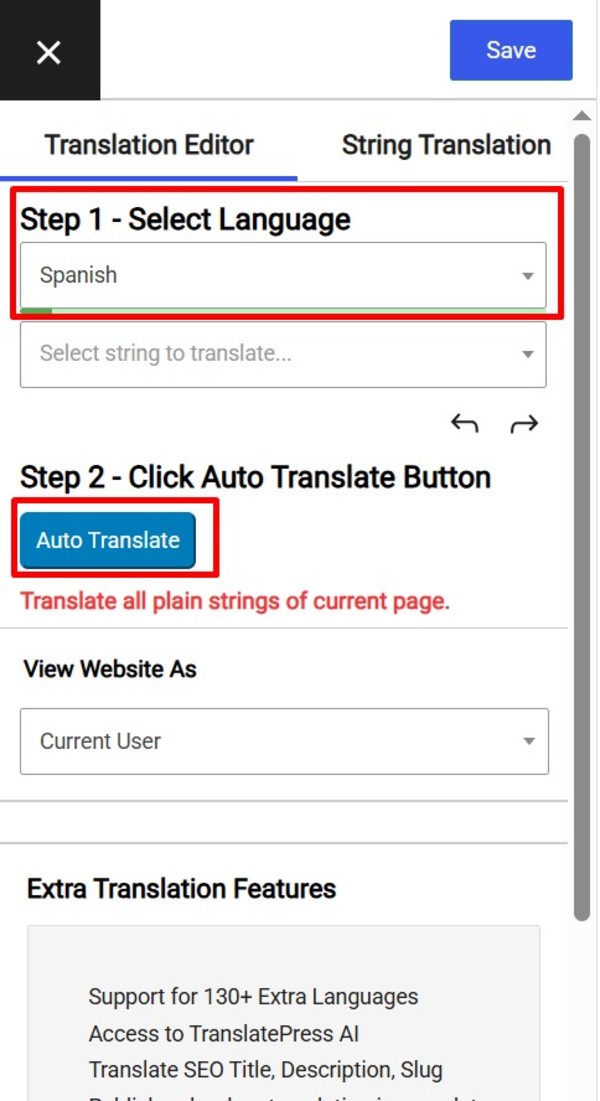
- After selecting the target language, the Auto Translate button will be enabled.
- Click the “Auto Translate” button.
- A pop-up will appear asking you to choose a translation provider. Select Google Gemini from the available options.
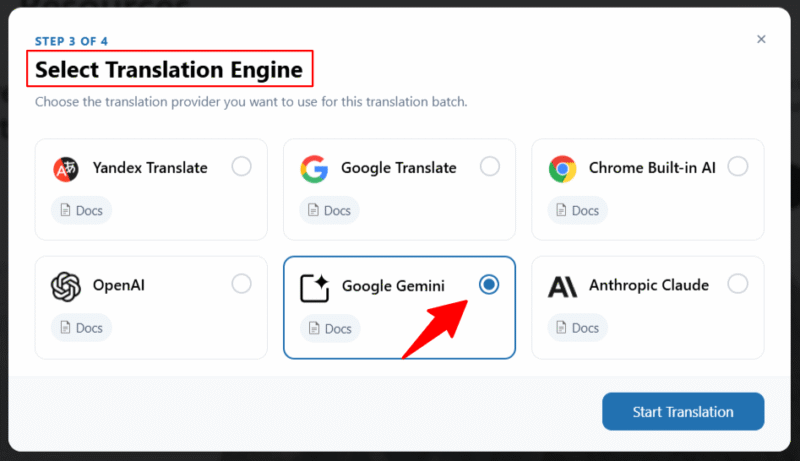
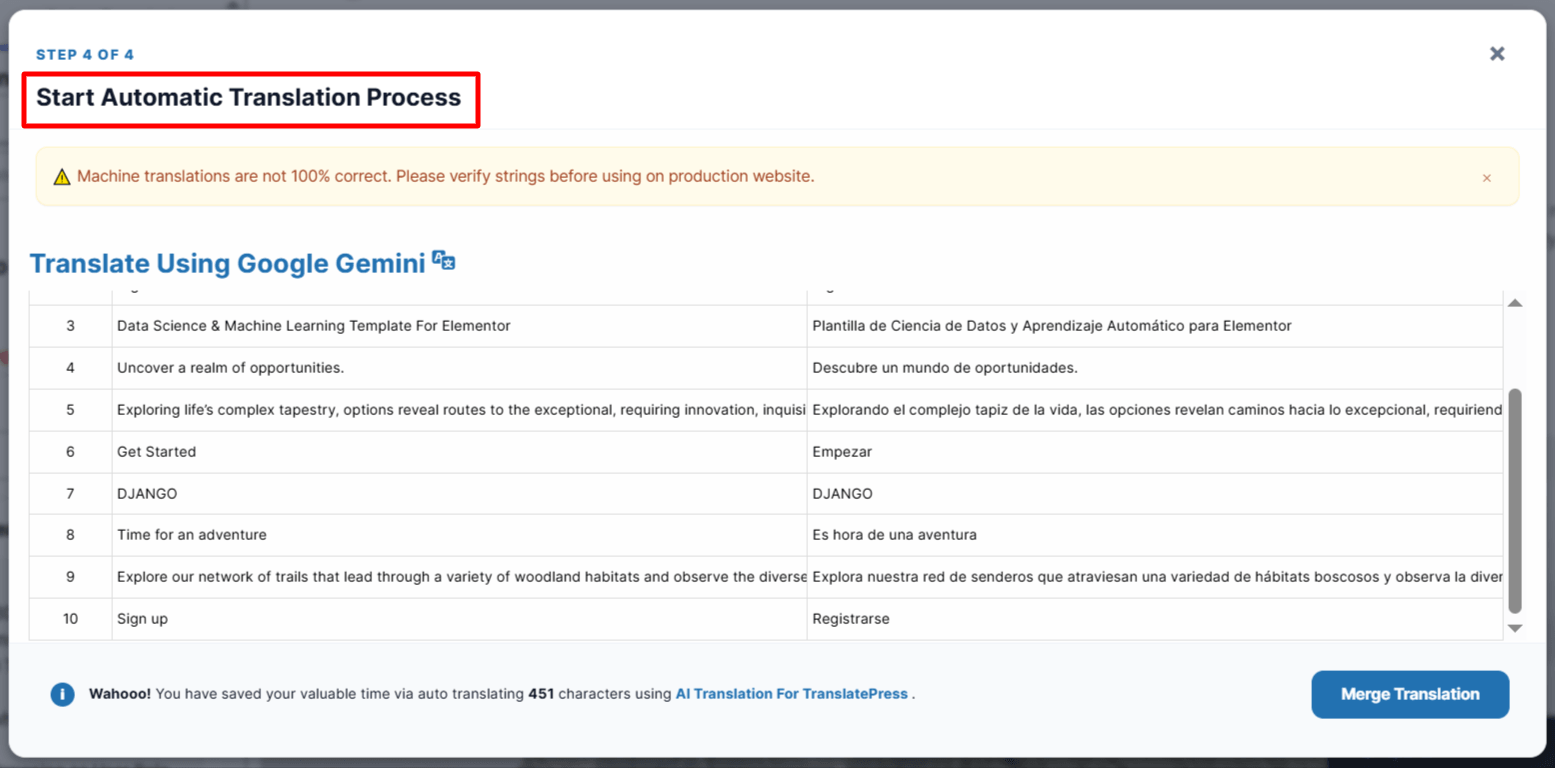
- Translation process will begin.
- After the translation completes, click the “Merge Translation” button.
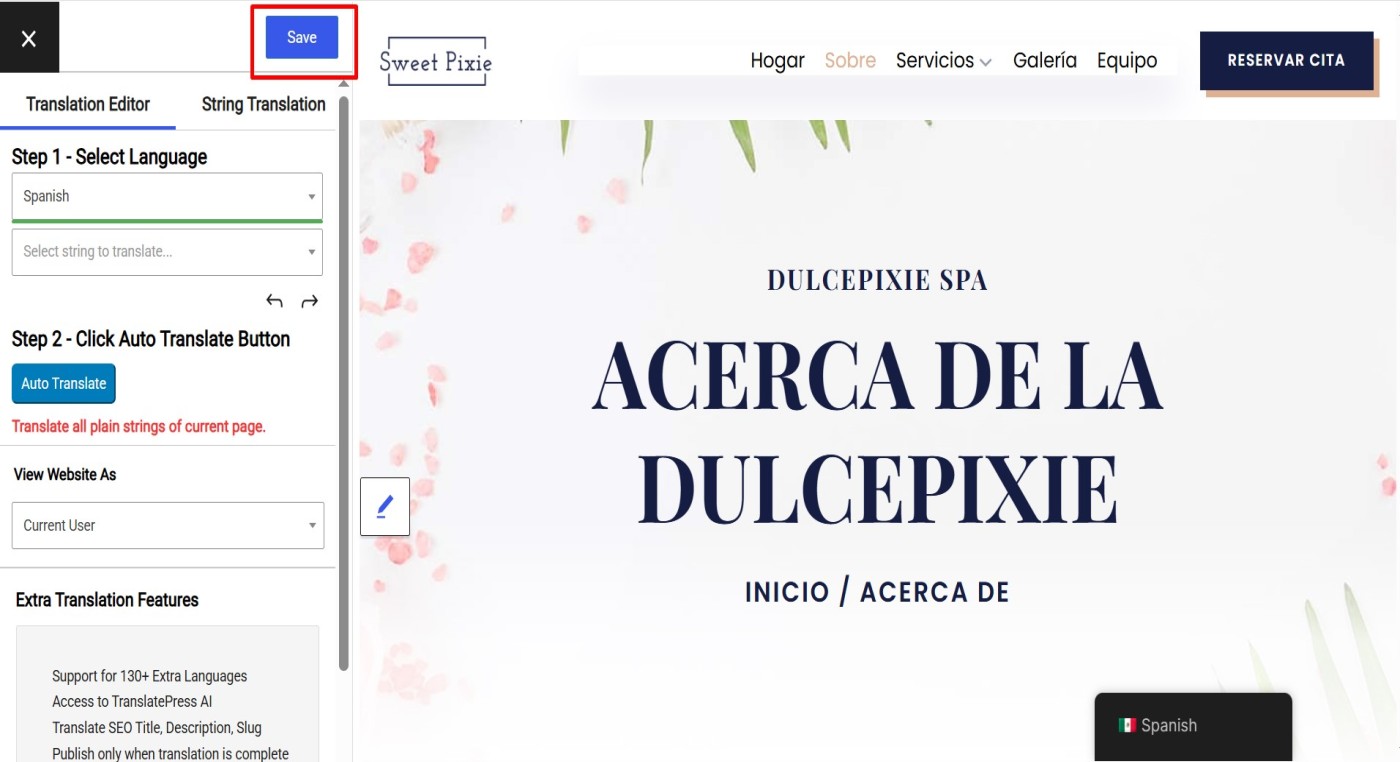
- Review the translated content directly in the editor. You can manually edit or adjust content if needed.
- Click the “Save Translation” button to store the translated version of your page.
* Note that while automatic translation tools can be helpful, they may not provide perfect translations, and there may be inaccuracies or errors in the translation. Therefore, it’s always a good idea to have a professional translator review the translation if it’s critical for your business or organization.