


To use Anthropic AI as the translator for bulk translation in the AI Translation for TranslatePress, you need to generate and add your Anthropic AI API key inside the plugin settings.
Step 1: Open Anthropic Console
- Visit the Anthropic console.
- Sign in using your existing account, or create a new one.
Step 2: Generate Your Anthropic API Key
- After logging in, go to the Dashboard.
- Navigate to API Keys from the sidebar.
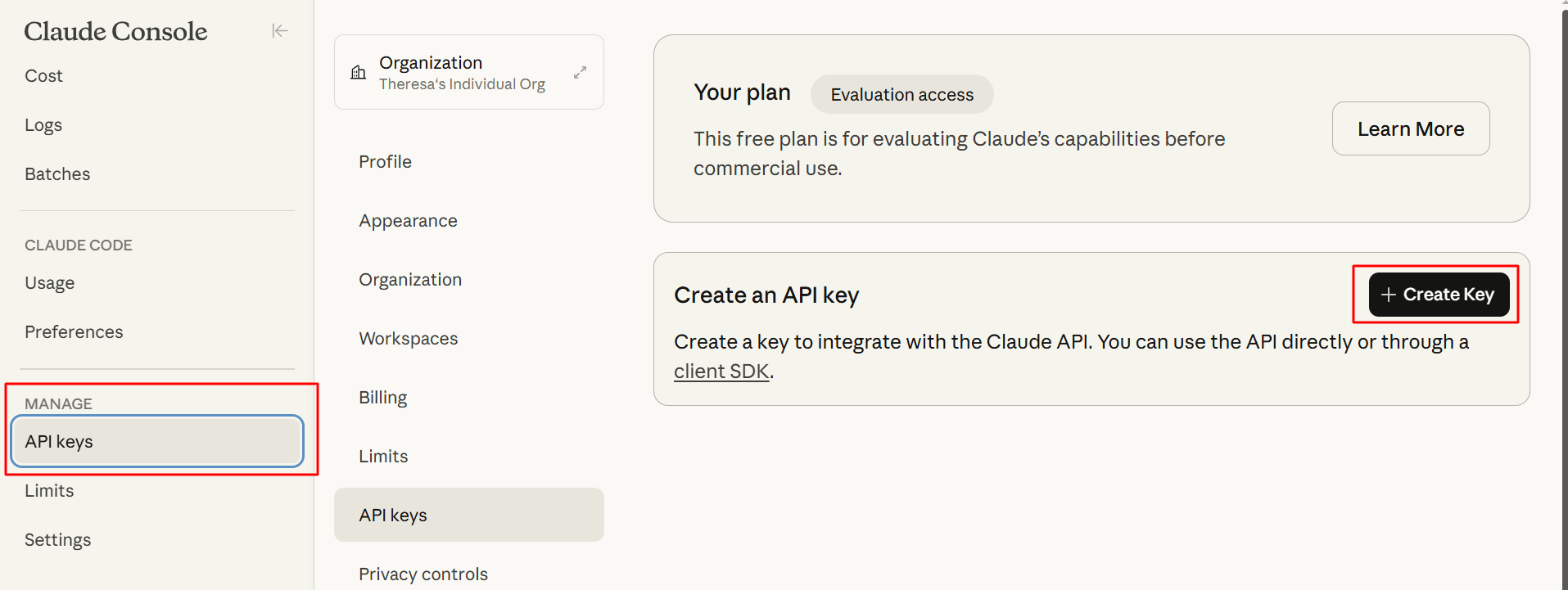
- Click the Create Key button.
- Enter all the required details.
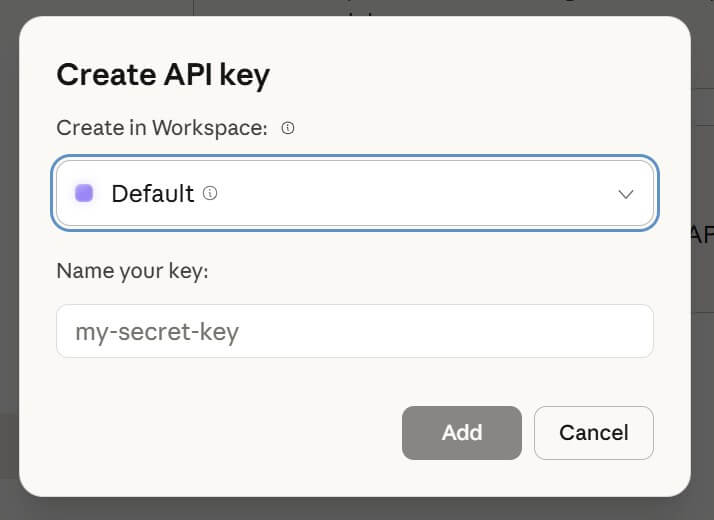
- Copy the generated API key and store it securely.
⚠️ Important:
Copy the API key immediately and store it in a secure location, and do not share your API key publicly.
Step 3: Add the Anthropic API Key
- From your WordPress Dashboard, navigate to Settings > AI Translation [TranslatePress] > Settings.
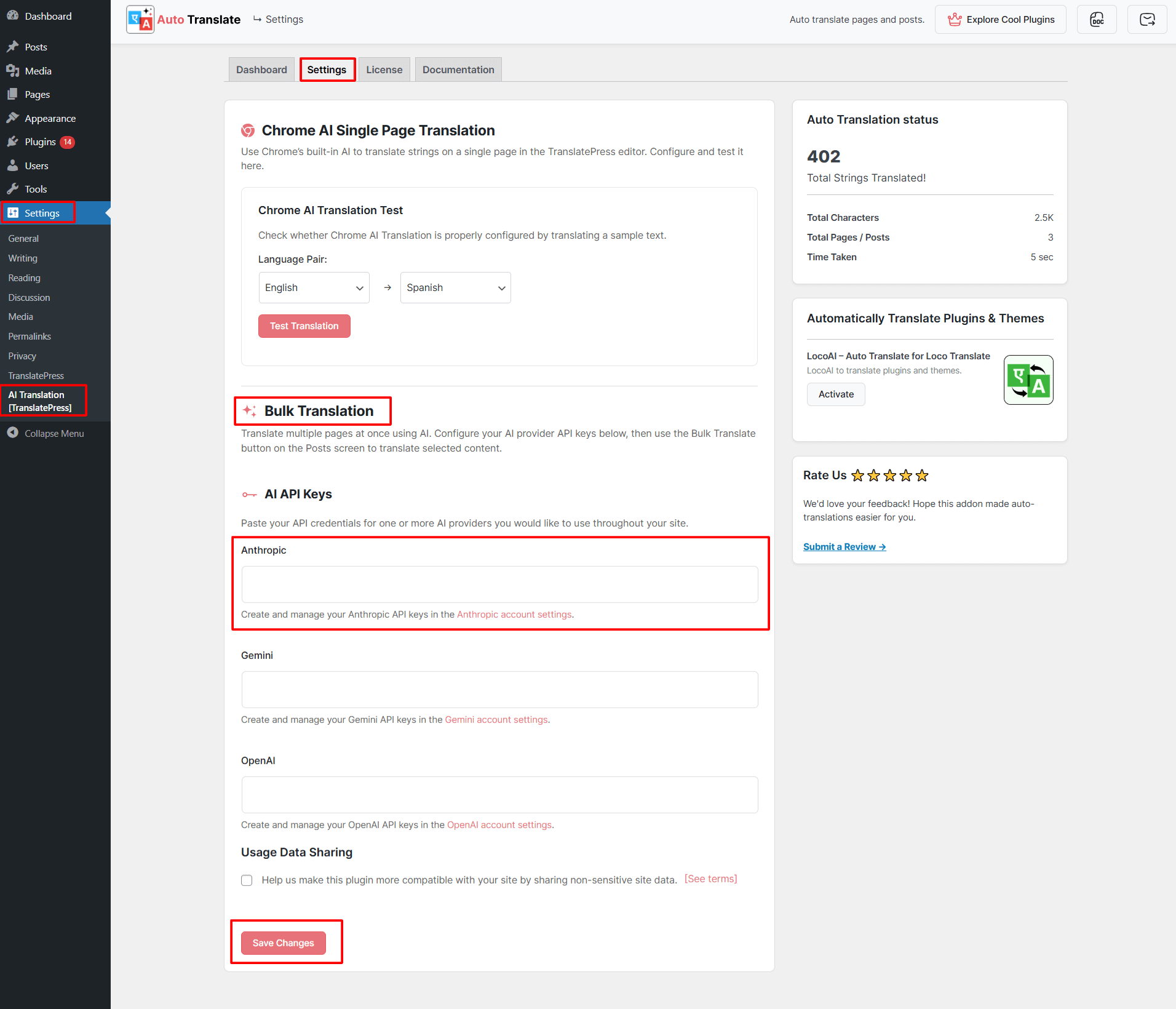
- Scroll down to the Bulk Translation > AI API Keys section.
- Locate the Anthropic field.
- Paste your copied API key into this field.
- Click Save Changes to apply the configuration.
Once saved, your website will be ready to use Anthropic AI for bulk AI-powered translations in TranslatePress.