


If you’re using AI Translation for TranslatePress to automatically translate your web pages, you can integrate OpenAI for faster translation results.
Why Use OpenAI?
Using OpenAI for translation provides a more advanced and reliable way to convert content between languages while maintaining quality and context. Unlike traditional translation tools that rely on direct word-to-word conversion, OpenAI-powered models such as GPT-4 understand the meaning, tone, and intent behind the text, resulting in translations that sound natural and human-like.
Additionally, OpenAI supports localization by adapting content according to cultural and regional preferences, ensuring a better experience for global audiences.
Automatically Translate Page Content
Follow the steps below to automatically translate your webpage content using OpenAI:
- Open the page or post you want to translate.
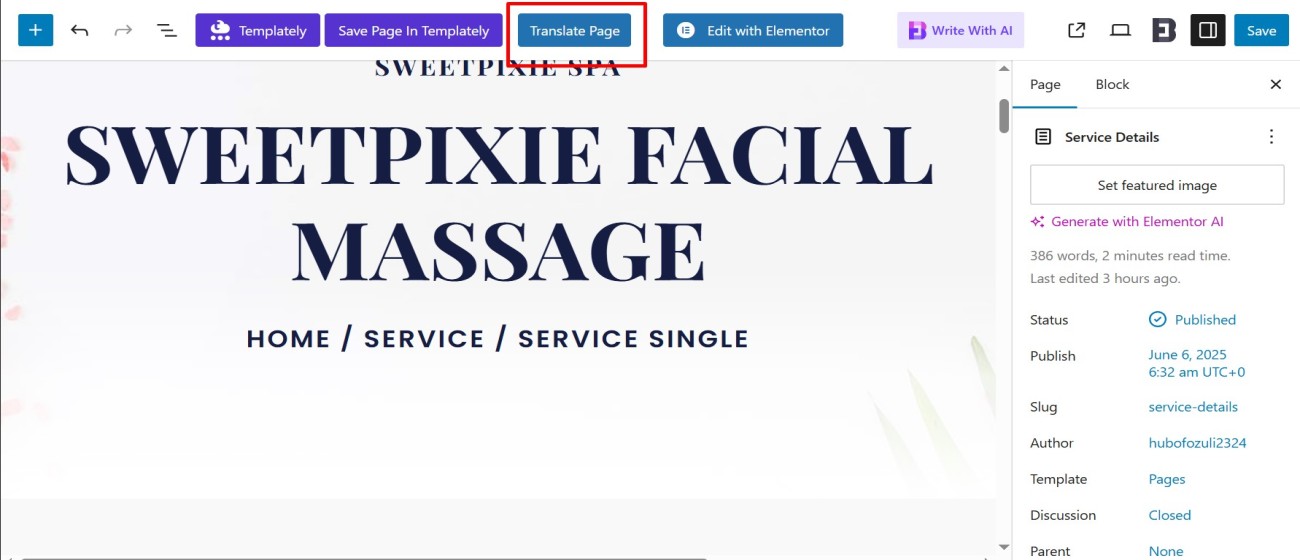
- Click the “Translate Page” button displayed at the top. This will open the live translation editor.
- In the translation editor, select the language you want to translate the page into.
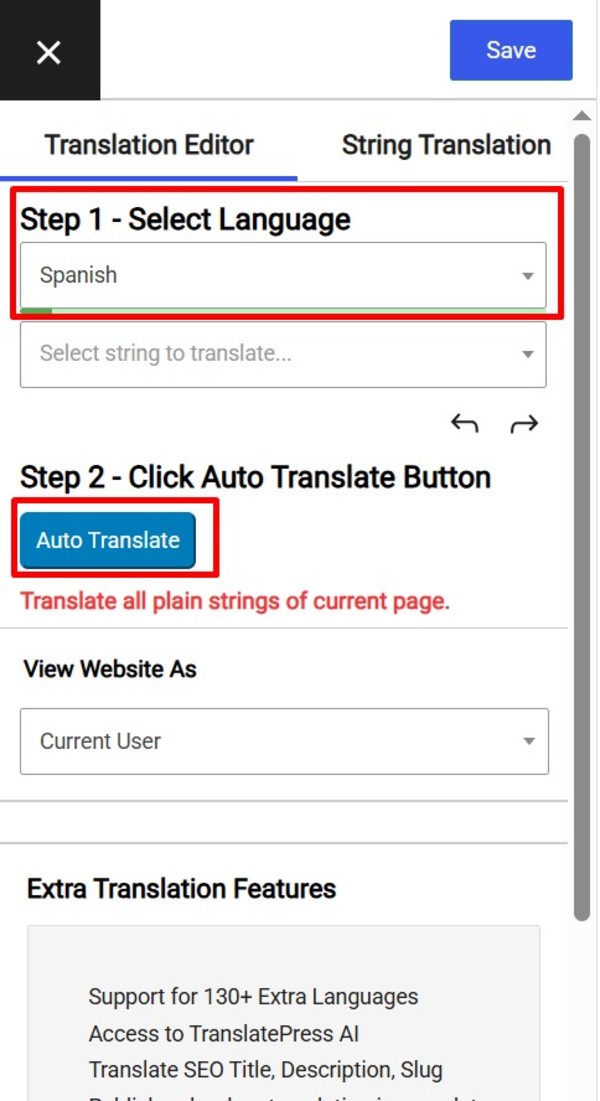
- After selecting the target language, the Auto Translate button will be enabled.
- Click the “Auto Translate” button.
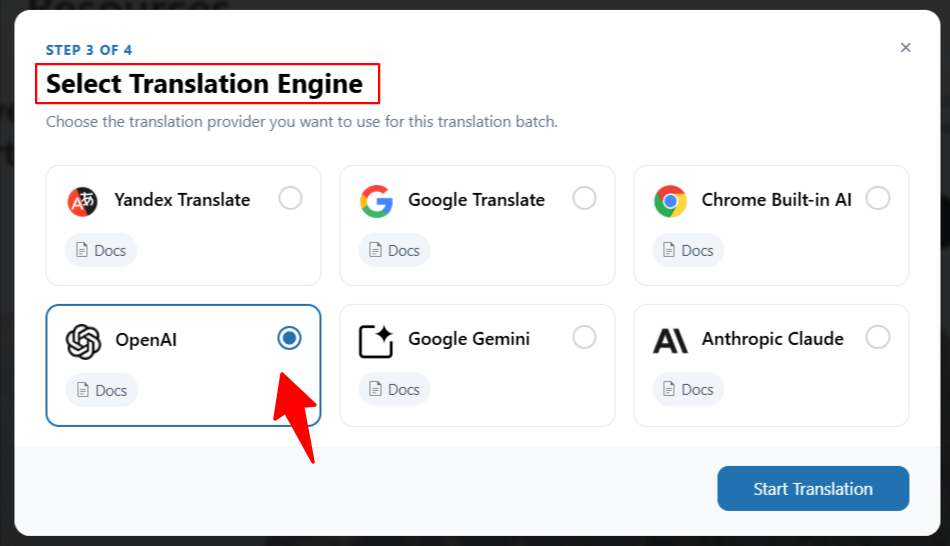
- A pop-up will appear asking you to choose a translation provider. Select OpenAI from the available options.
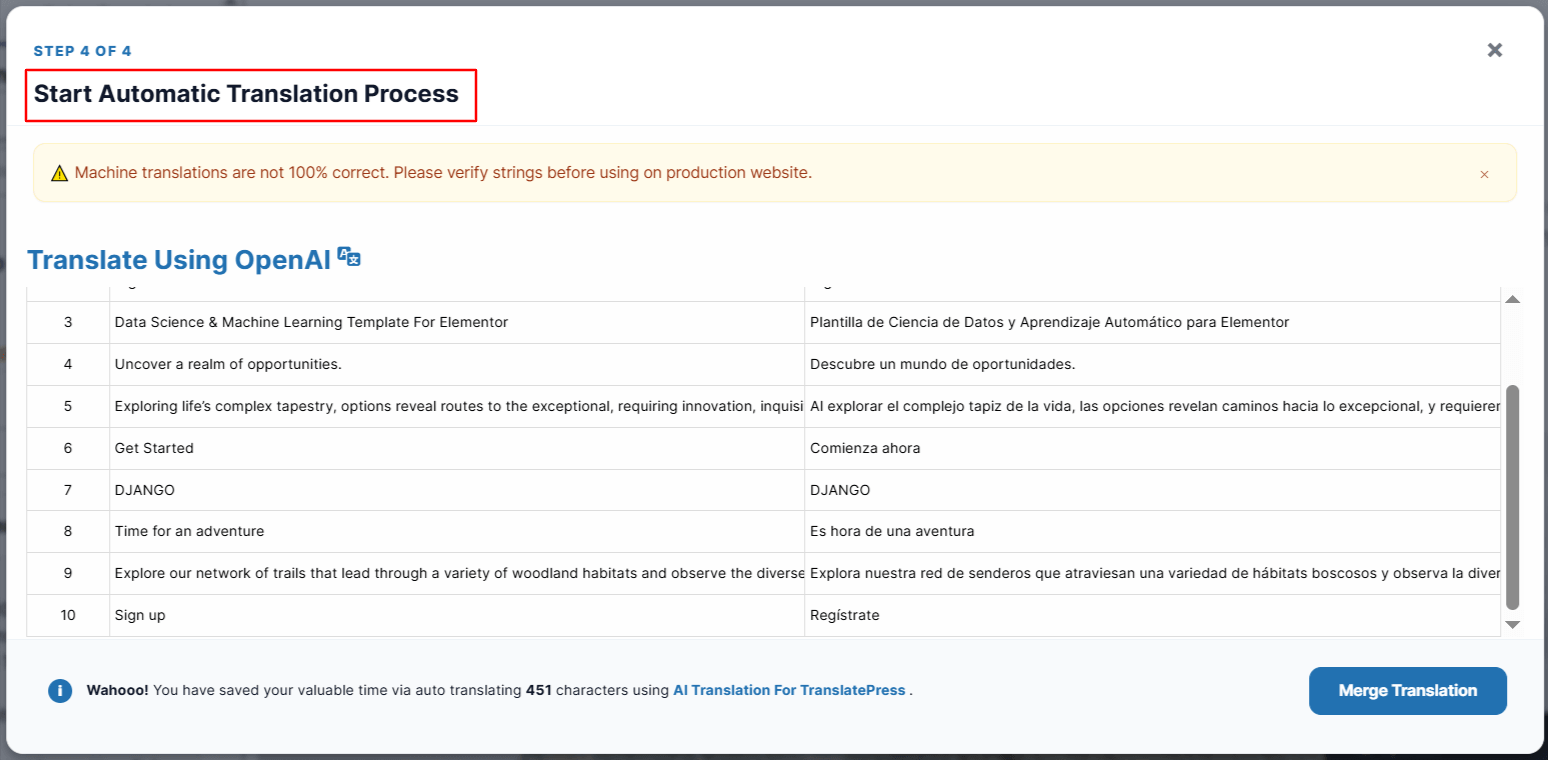
- Translation process will begin.
- After the translation completes, click the “Merge Translation” button.
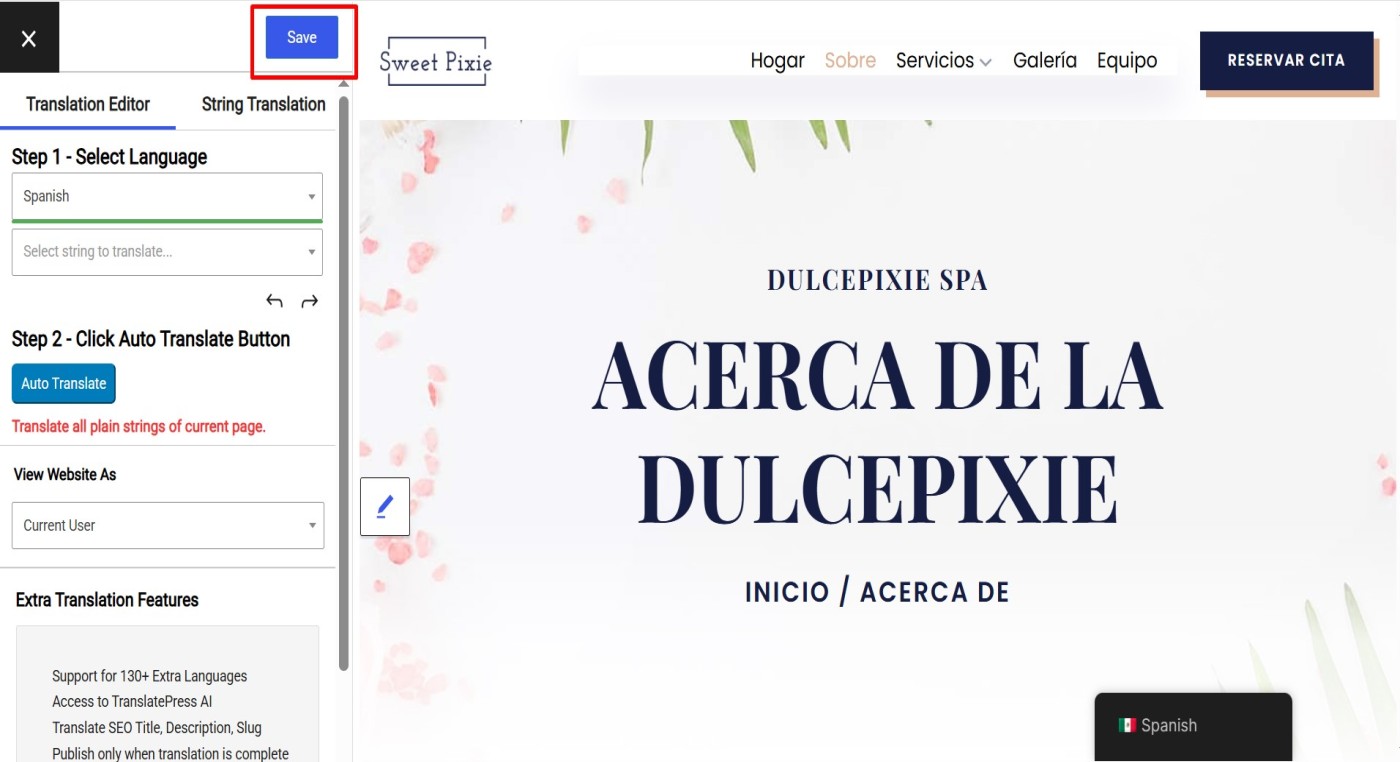
- Review the translated content directly in the editor. You can manually edit or adjust content if needed.
- Click the “Save Translation” button to store the translated version of your page.
* Note that while automatic translation tools can be helpful, they may not provide perfect translations, and there may be inaccuracies or errors in the translation. Therefore, it’s always a good idea to have a professional translator review the translation if it’s critical for your business or organization.