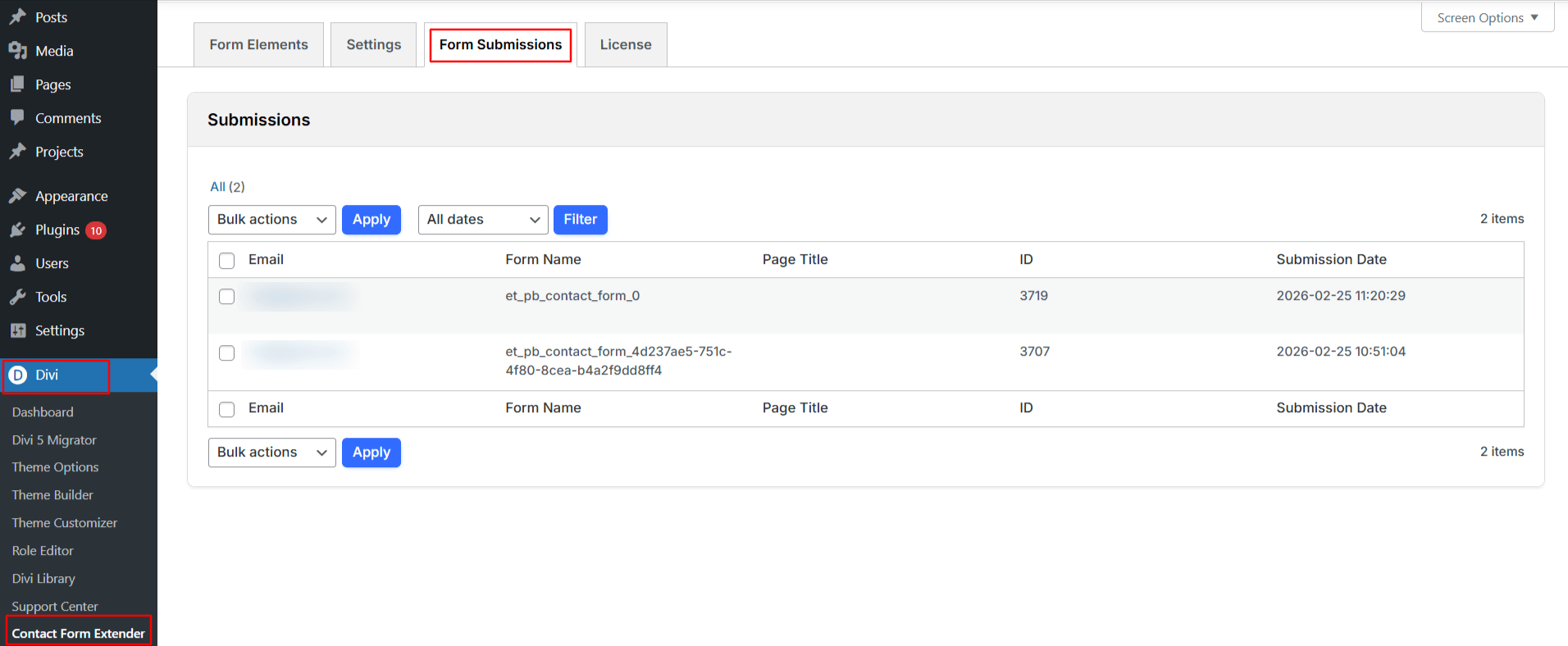


Using the Contact Form Extender for Divi plugin, you can easily keep a record of your Divi form submissions in a database instead of relying only on email notifications. Once you enable the setting, all data entered through Divi contact forms will be securely stored within WordPress.
Follow the steps below to enable form submissions in the database:
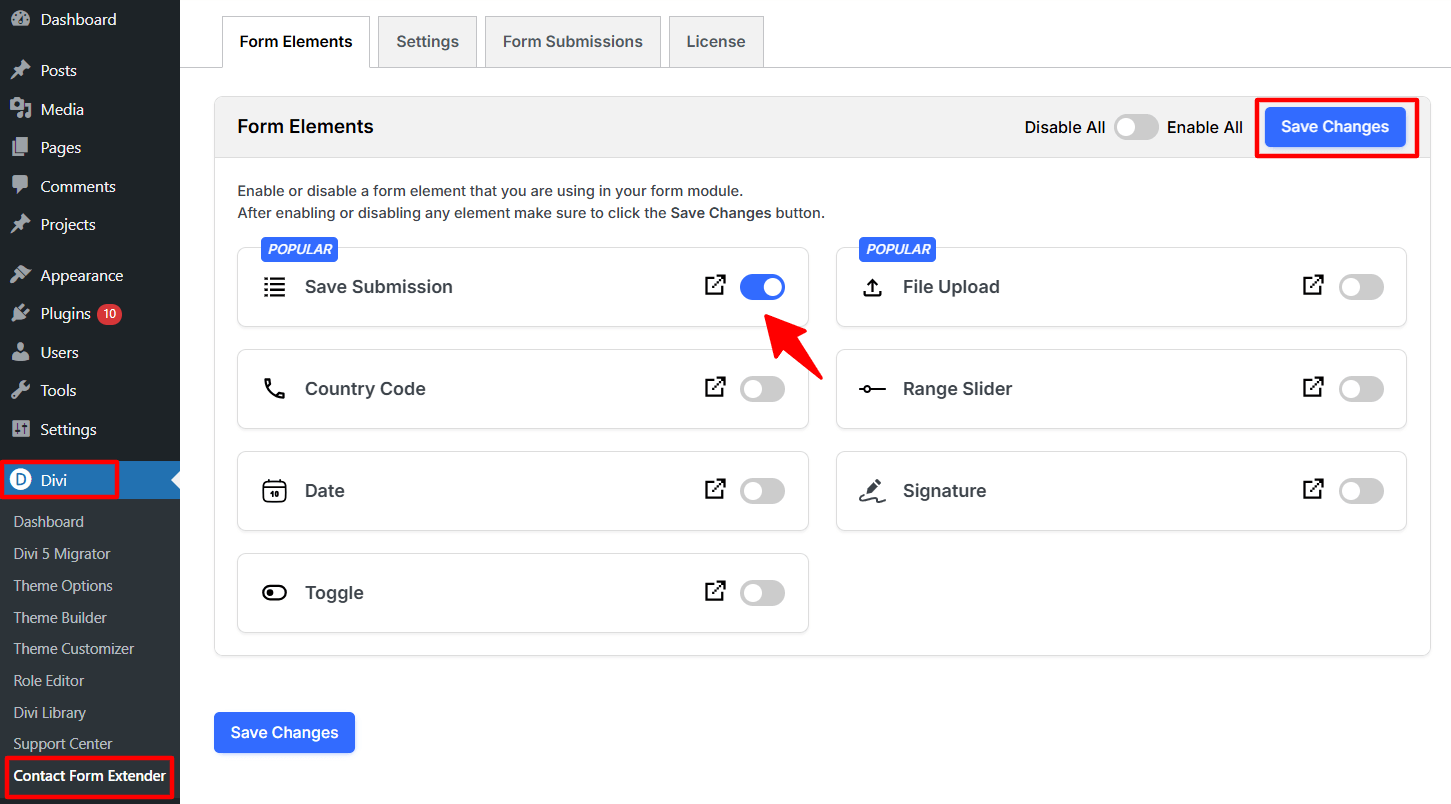
- Firstly, make sure you have “Turned on“ the save submission feature in the WordPress Admin Panel >> Divi >> Contact Form Extender >> Form Elements Tab.
- Once enabled, all form entries will be stored securely within WordPress. You can view these entries by navigating to: Divi > Contact Form Extender > Form Submissions.