










The Clear Translation feature in AutoTP lets you quickly remove the existing translation of a WordPress page or post.
This is useful when you want to retranslate a page from scratch, remove an outdated translation, or make AutoTP generate a fresh translation after updating the original content.
Clear translation does not delete your original WordPress page or its source-language content. It only clears the existing translated content for that page.
Steps to Clear a Translation for a Page or Post
Follow these steps to clear the translation of an individual page or post:
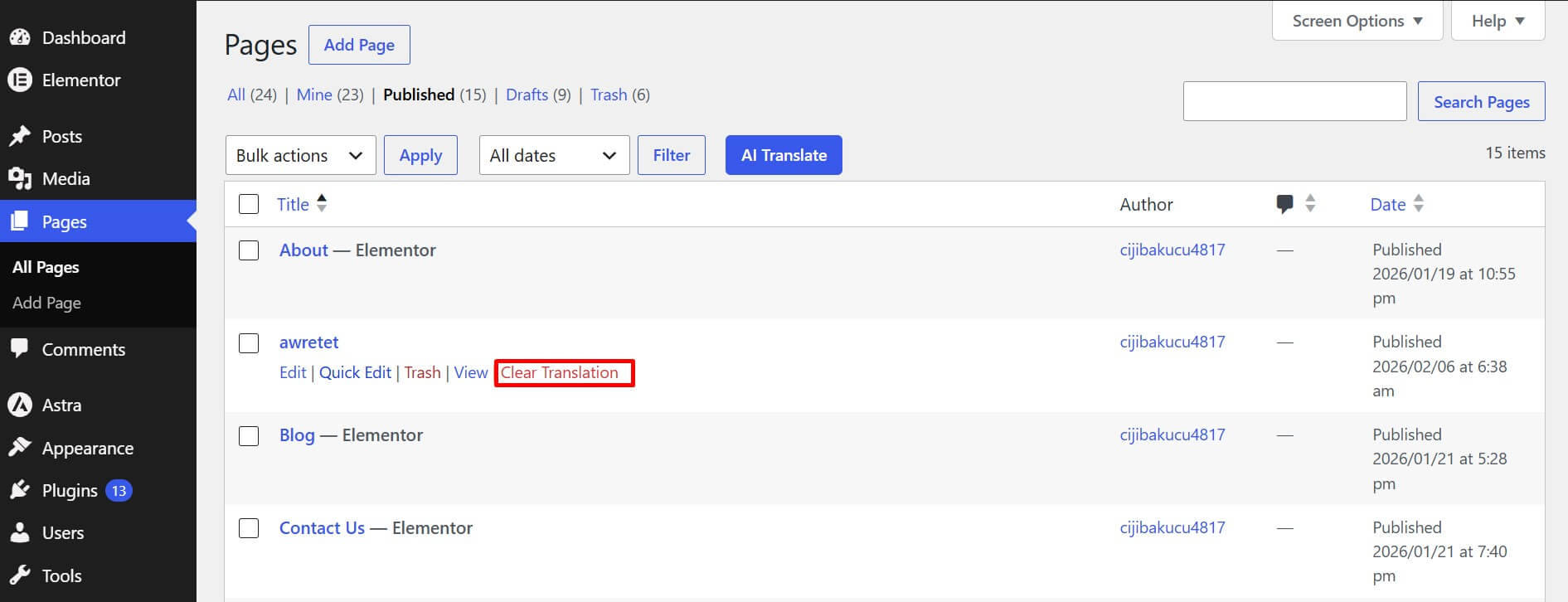
- From your WordPress Dashboard, navigate to Pages or Posts.
- Hover over the content title of the page or post whose translation you want to remove.
- Click Clear Translation.
- A Delete Translation confirmation popup will appear. Check the page name and target language shown in the confirmation message.
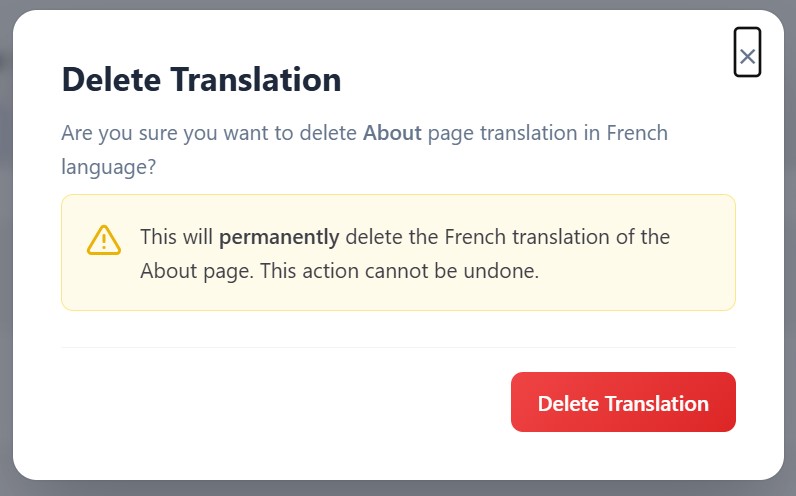
- Click Delete Translation to permanently remove the translation.
That’s it the existing translation for that specific page or post will be cleared. You can now automatically translate the content again using AutoTP.