

If you’re using WPML to translate your website, you can also use AutoMLP – AI Translation For WPML to translate the webpages without any credit limits using Chrome’s built-in AI.
Why Use Chrome Built-in AI?
Chrome built-in AI provides on-device and private translation capabilities directly within the browser.
This method uses Google Chrome’s native AI translation features, providing a fast and convenient way to translate your website content in real time, without any need for API keys, paying for third-party services, or extra tools.
Automatically Translate Page
Follow the steps below to automatically translate your webpage content using Chrome’s built-in AI:
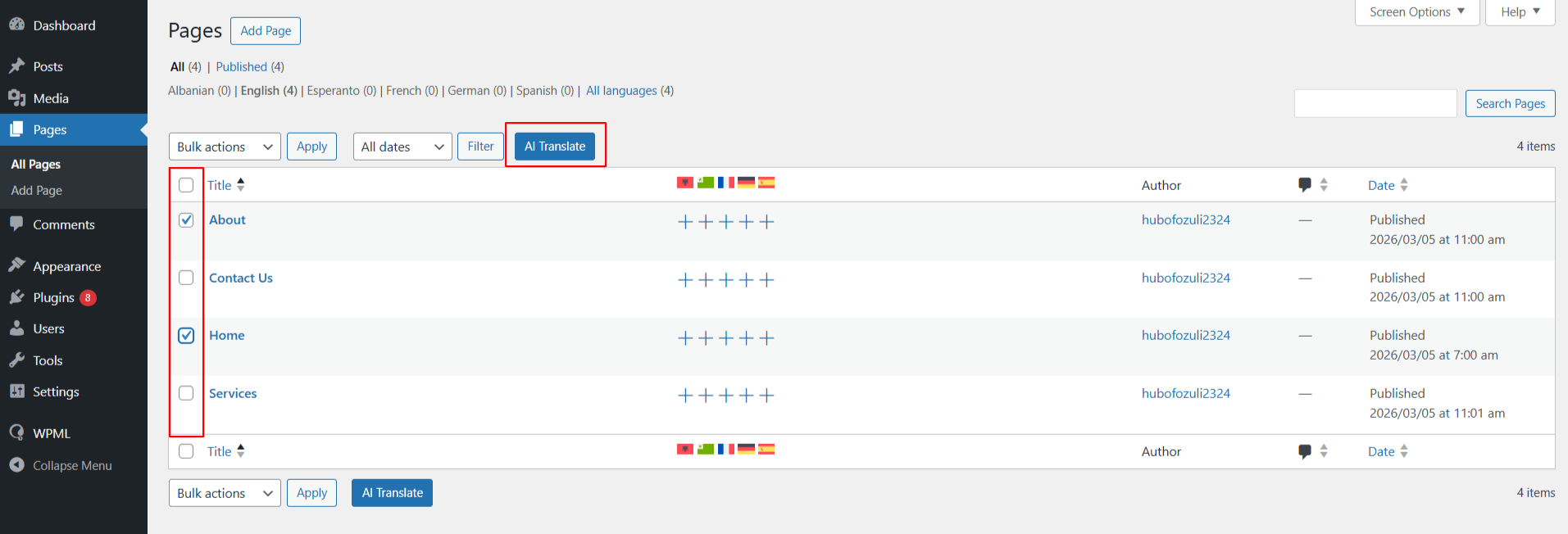
- Go to WordPress Dashboard > Pages. Use the checkboxes to select one or more pages you wish to translate.
- Once selected, click the AI Translate button at the top.
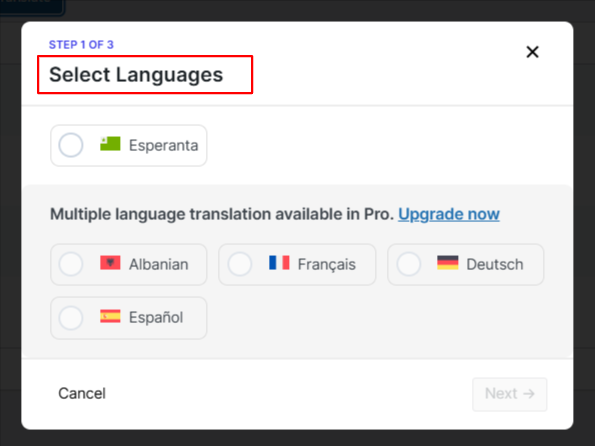
- A pop-up will appear, select the language you want to translate your content into.
- Next, choose Chrome built-in AI as the translation engine.
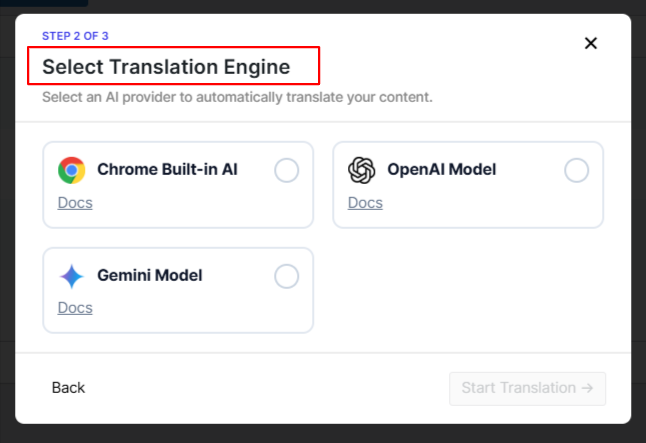
- The translation process will begin automatically.
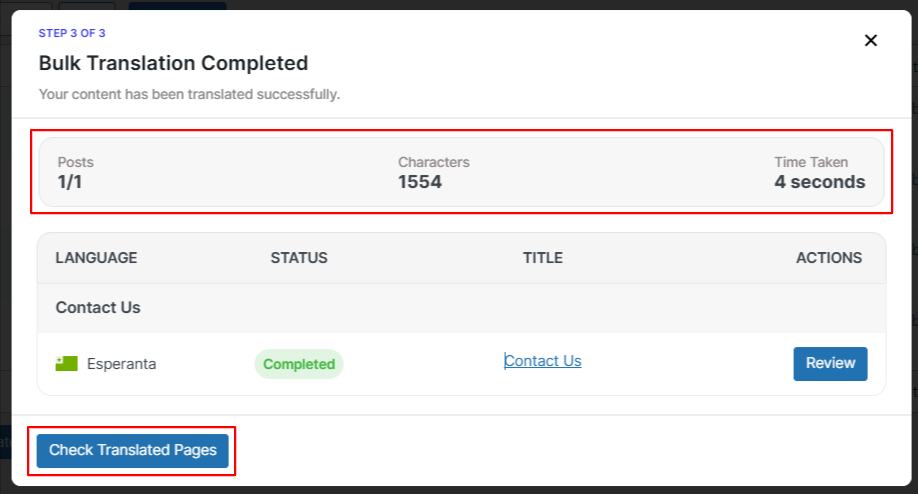
- After the process is complete, you can check the translated versions of the selected pages.