

With Connect Polylang for Elementor, you can easily translate Elementor templates and ensure the correct language version is displayed on the front end.
Follow the steps below to translate Elementor templates:
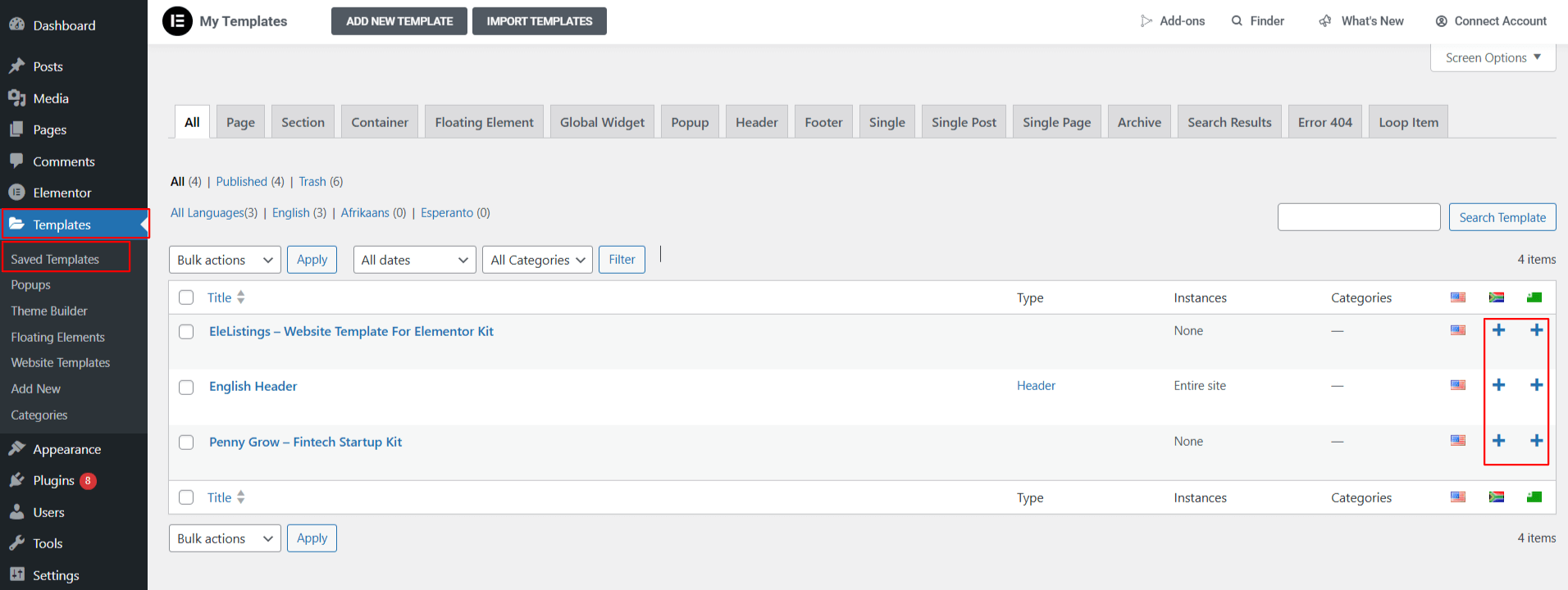
- From your WordPress dashboard, navigate to Templates > Saved Templates.
- Here, create a new template or edit an existing one with Elementor.
- Use Polylang’s language options to add a translation for the desired language.
- Translate the template content.
- Click Update to save your changes.
(Note: Do not modify display conditions for translated templates. Connect Polylang for Elementor automatically applies the display conditions to ensure the correct language template is displayed on the front end)
Once saved, the templates are automatically linked, and Connect Polylang for Elementor plugin ensures the correct template is displayed on your site based on the selected language.