









Using the AutoPoly – AI Translation For Polylang, you can easily translate your Divi pages/posts automatically via Yandex Translation Widget, Google, Gemini, OpenAI, DeepL, or Chrome’s built-in AI.
Note: If your original page/post is assigned to a specific category, you must assign the translated version of the page to the corresponding translated category.
It is highly recommended to translate categories, tags, or custom taxonomies before translating your website content. This ensures that all taxonomy or category terms are already available in the target language, preventing the need to manually update categories, tags, or custom taxonomies for each translated page one by one.
Follow the steps below to automate translation:
- Install and activate the
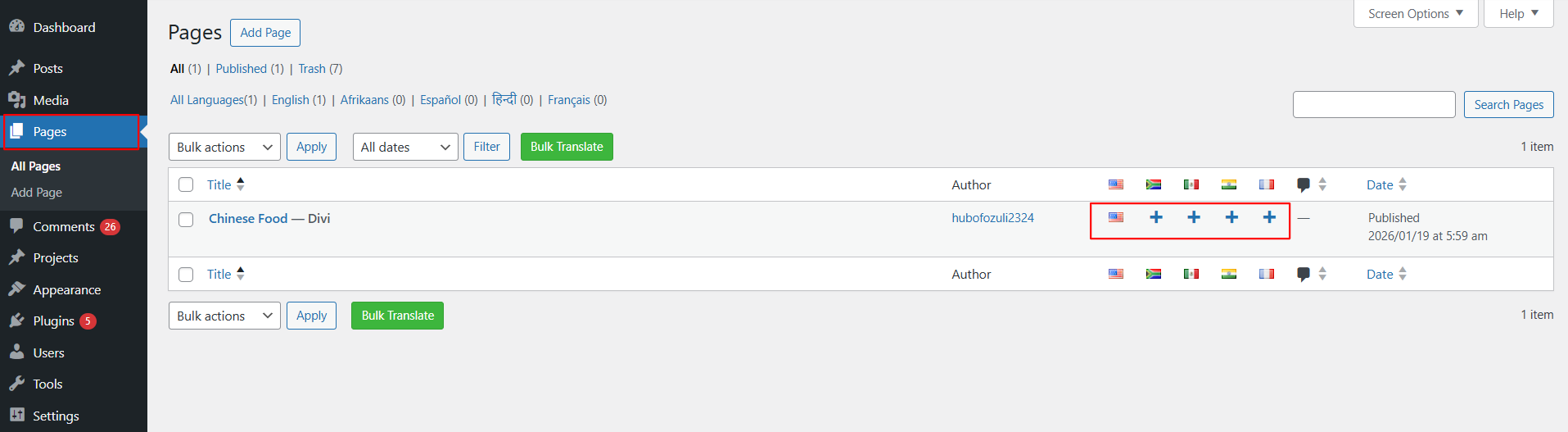
Polylang pluginand theAutoPoly - AI Translation For Polylangon your WordPress website. - Navigate to the pages section and select the target translation language from the list of available languages provided by Polylang.
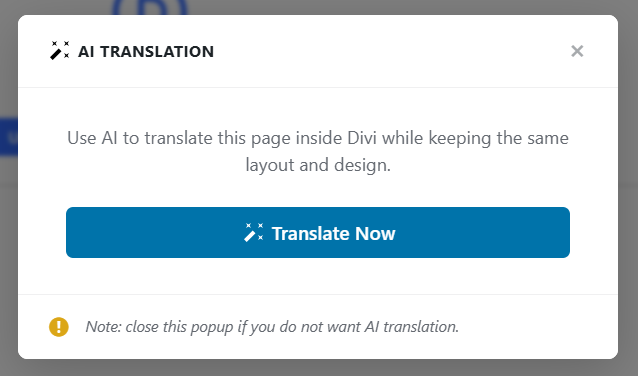
- A prompt will appear asking if you want to duplicate the original page content. Click “Translate Now” button.
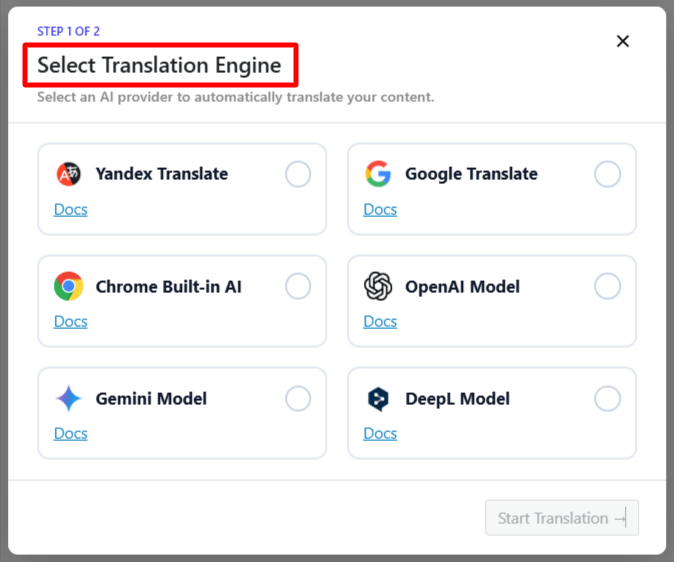
- A prompt will appear to select the Translation Engine. Choose one according to your preferences.
- Once selected, a tab containing both the source text and translation text will appear.
- Click Translate. The translation process will begin, and wait for a few minutes.
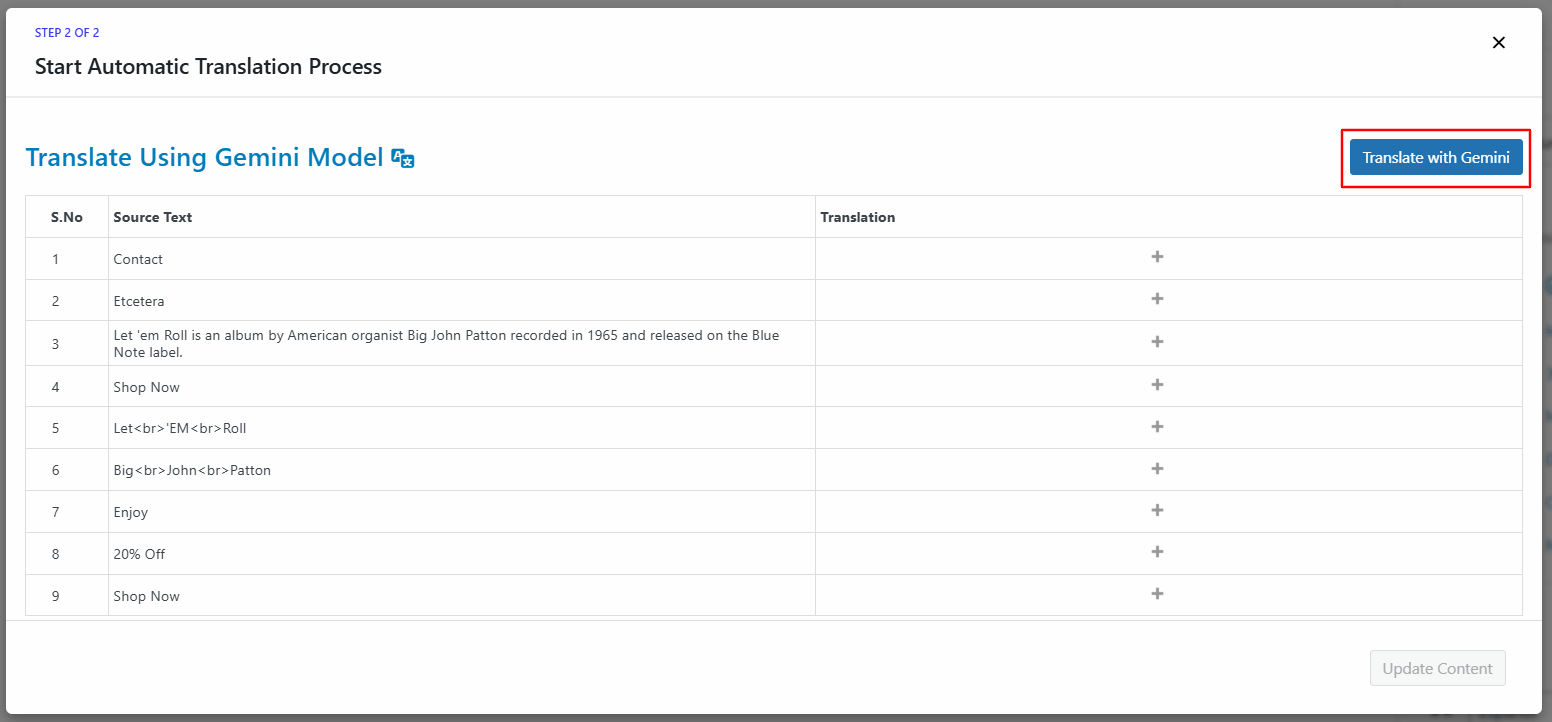
- After the translation completes, click Update Content.
- Lastly, publish your page and preview it or make manual edits to adjust translations for better accuracy.
That’s it! You have successfully translated your Divi webpage using the AutoPoly – AI Translation For Polylang.