









By default, AutoPoly – AI Translation for Polylang does not support custom fields and terms meta fields translation.
So, if your website uses custom fields through plugins such as ACF, those fields must be enabled before automatic translation.
Follow the steps below to enable automatic translation for custom fields and terms meta fields:
Enable Custom Fields Translation
To enable custom field translation:
- From your WordPress dashboard, navigate to Languages > AutoPoly > Custom Fields.
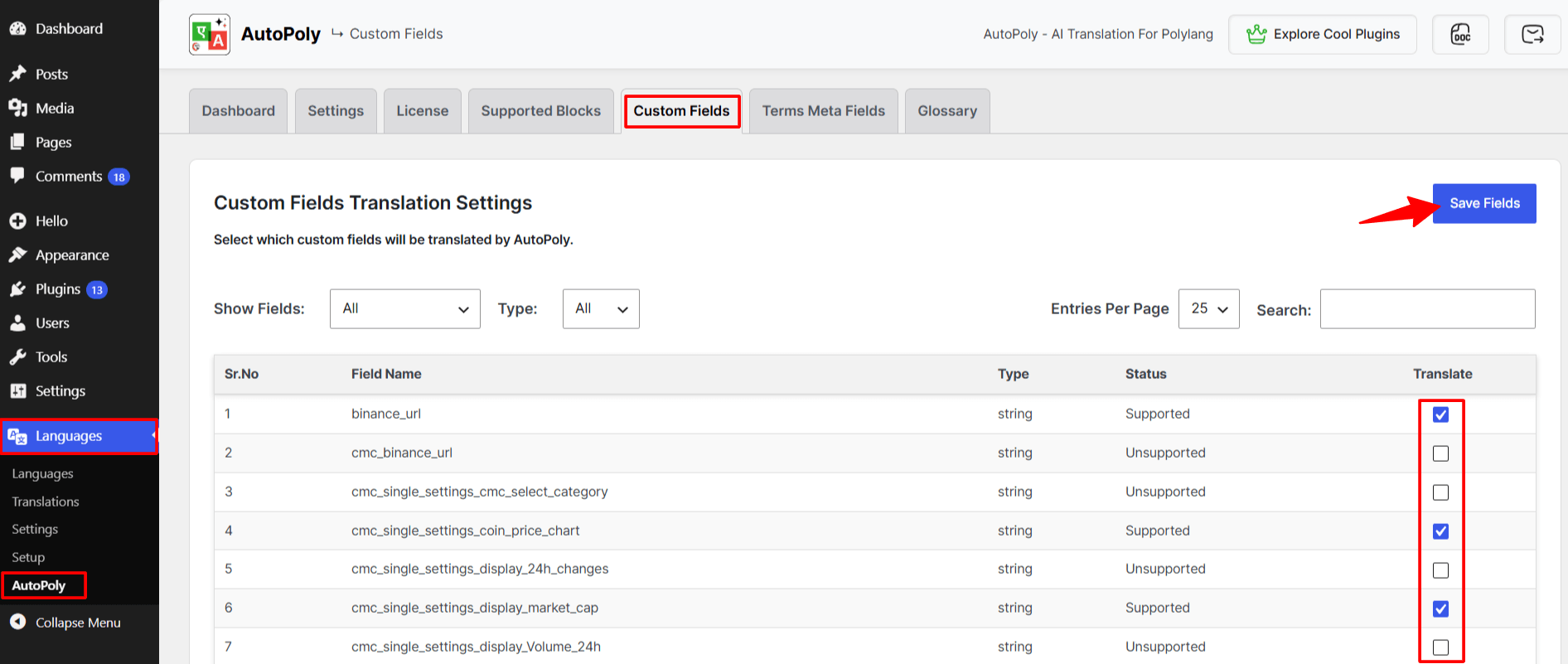
- Locate the custom field you want to translate.
- Use the checkboxes to enable the custom field’s translation.
- Once done, click Save Fields.
Once enabled, the selected custom fields will be translated whenever the related content is translated.
Important Note
If Custom Fields Synchronization is enabled in Polylang, AutoPoly will not translate custom field values even if the fields are selected for translation in AutoPoly.
To allow AutoPoly to translate custom fields:
- From your WordPress dashboard, navigate to Languages > Settings.
- Open the Synchronization section.
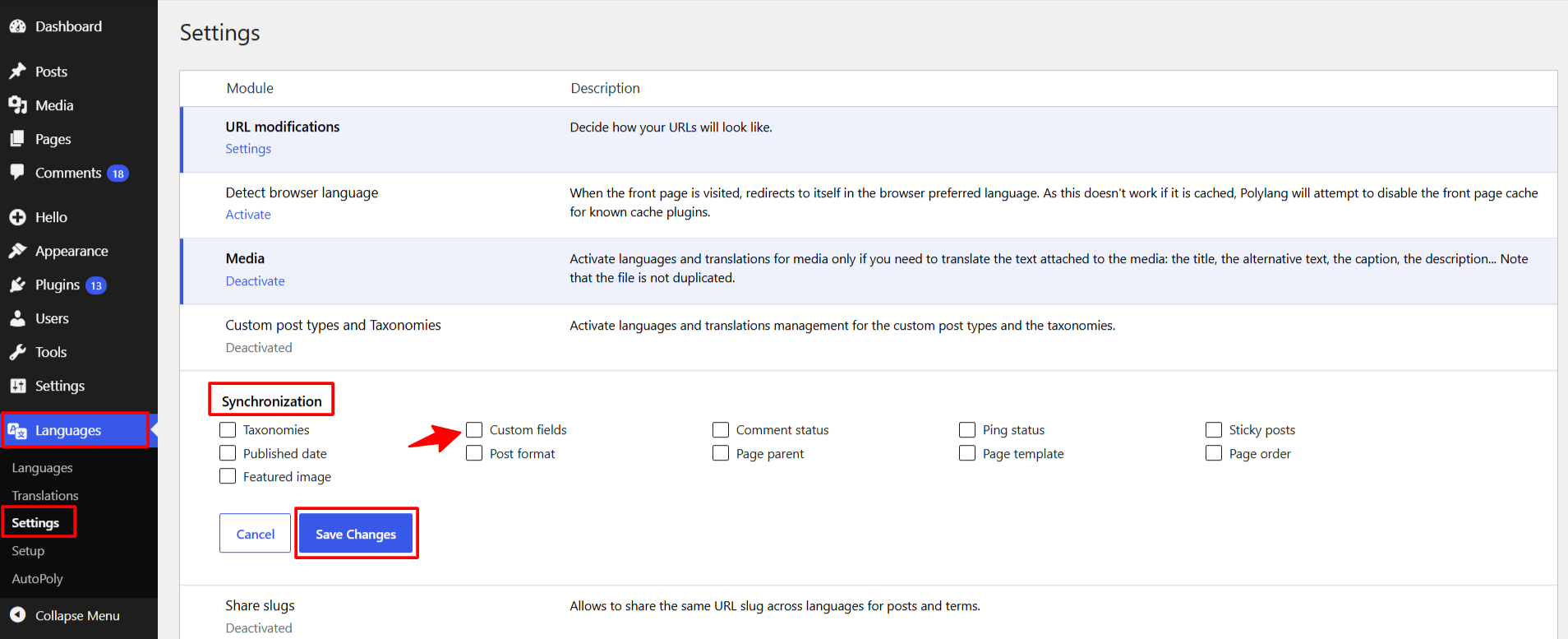
- Disable Custom Fields Synchronization for the custom fields.
- Save the settings.
Failure to disable synchronization may result in custom field values being copied from the original language instead of being translated.
Enable Terms Meta Fields Translation
To enable terms meta fields translation:
- From your WordPress dashboard, navigate to Languages > AutoPoly > Terms Meta Fields.
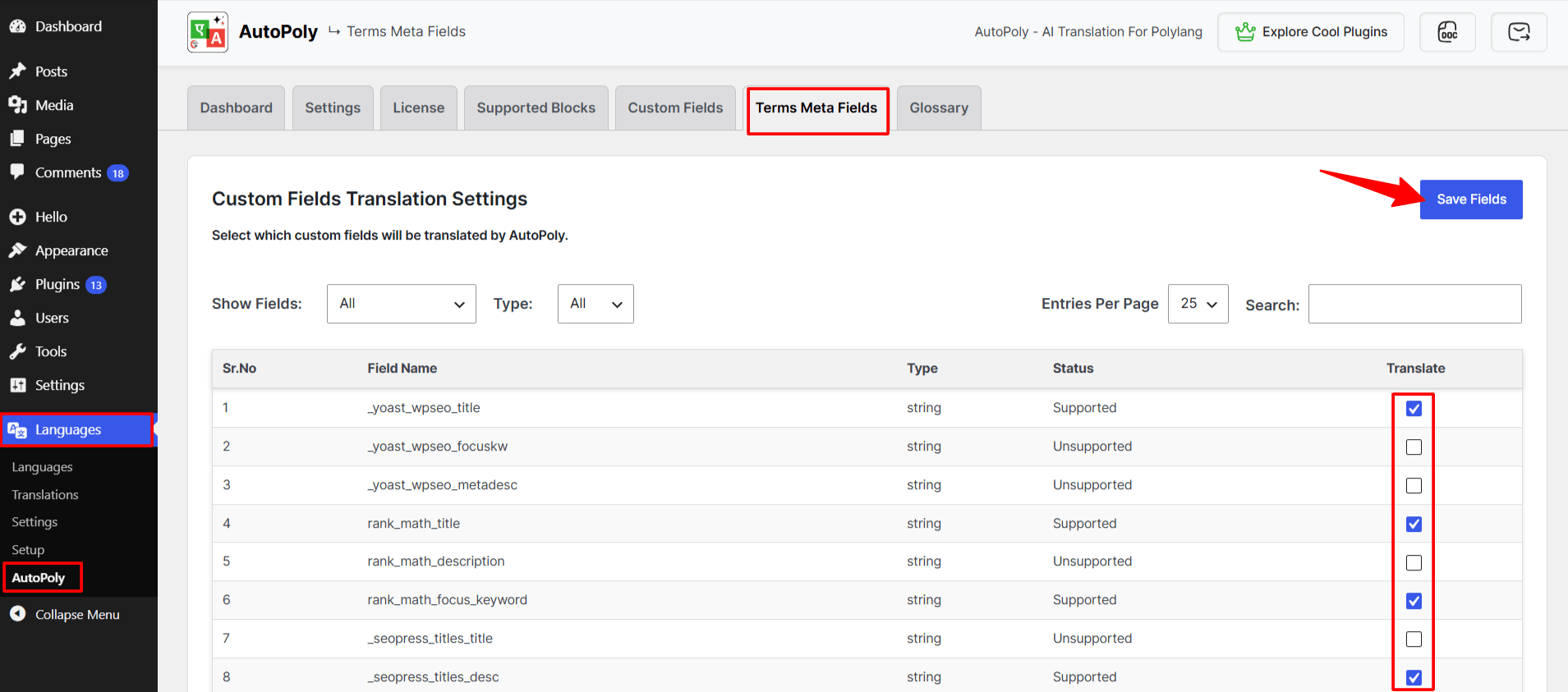
- Locate the fields you want to translate.
- Use the checkboxes to enable the field’s translation.
- Once done, click Save Fields.