









By default, AutoPoly – AI Translation for Polylang translates content from supported WordPress post types, pages, and Gutenberg blocks.
However, custom Gutenberg blocks created by third-party plugins, themes, or tools such as Advanced Custom Fields (ACF) are not translated automatically.
So, if your pages contain custom blocks, you must enable translation support for them before starting the translation process.
Follow the steps below to enable automatic translation for custom blocks:
Enable Custom Gutenberg Blocks Translations
To enable translation support for unsupported Gutenberg blocks:
- From your WordPress dashboard, navigate to Languages > AutoPoly > Supported Blocks.
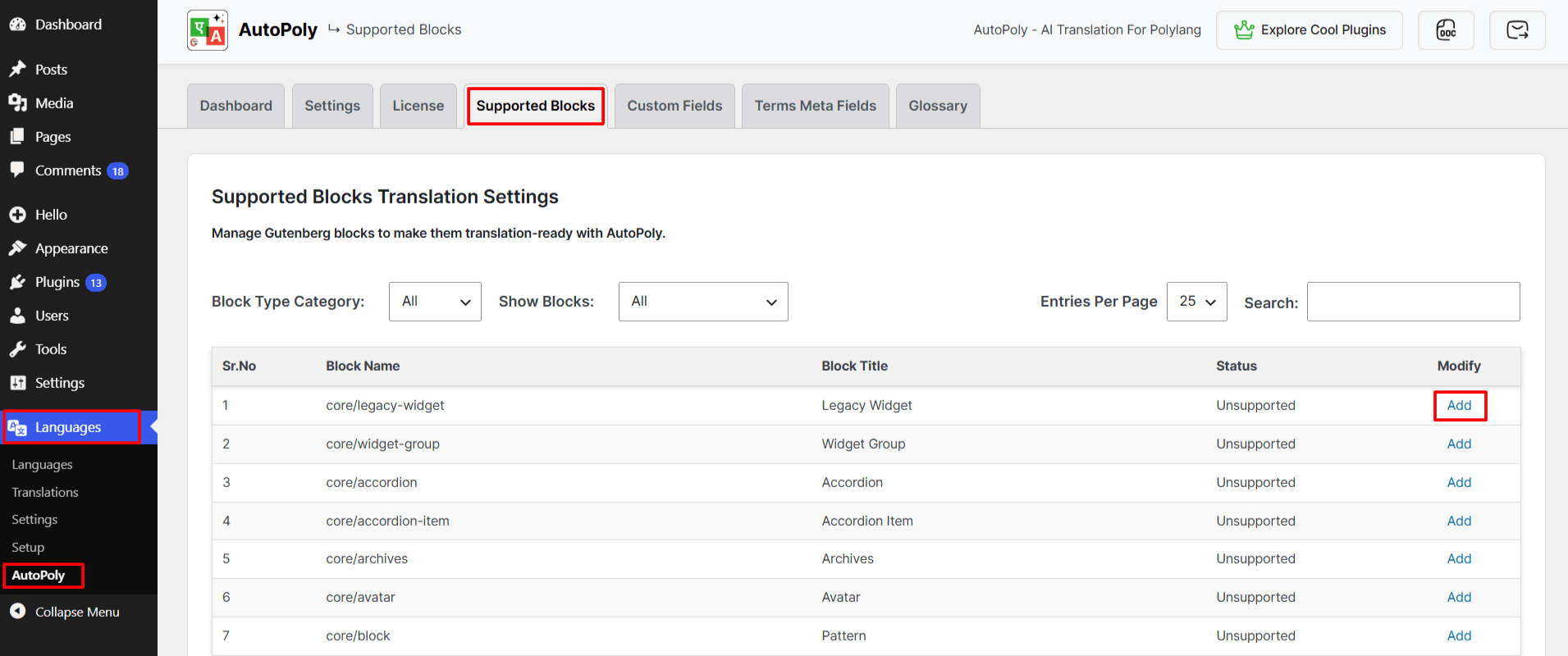
- Locate the custom block you want to translate.
- Click Add next to the block.
- Click the Copy Text button and paste this text into the section of the custom block that contains the content you want AutoPoly to translate.
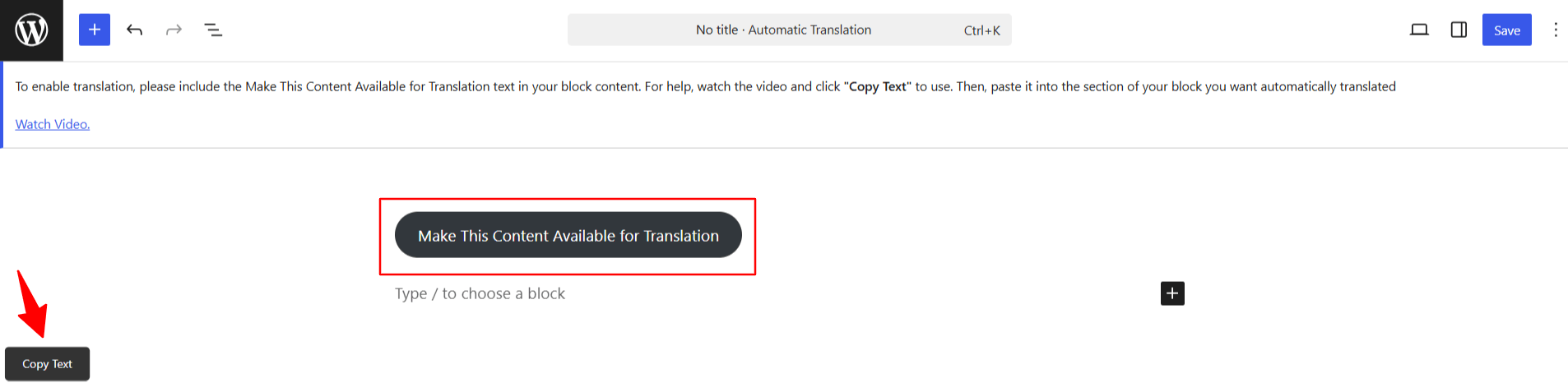
- Lastly, Save or update the block settings.
- Repeat the same steps for any other custom blocks you want to translate.
Once done, AutoPoly will detect and translate the content within that custom block during the translation process.