









OpenAI is a powerful AI tool that can automatically translate your website content using the AutoPoly – AI Translation For Polylang plugin.
Automatically Translate Page Content
Follow the steps below to automatically translate your webpage content using Open AI:
- Navigate to the Pages section. Edit the page you want to translate.
- On the right side of the page editor, there is a Languages settings tab.
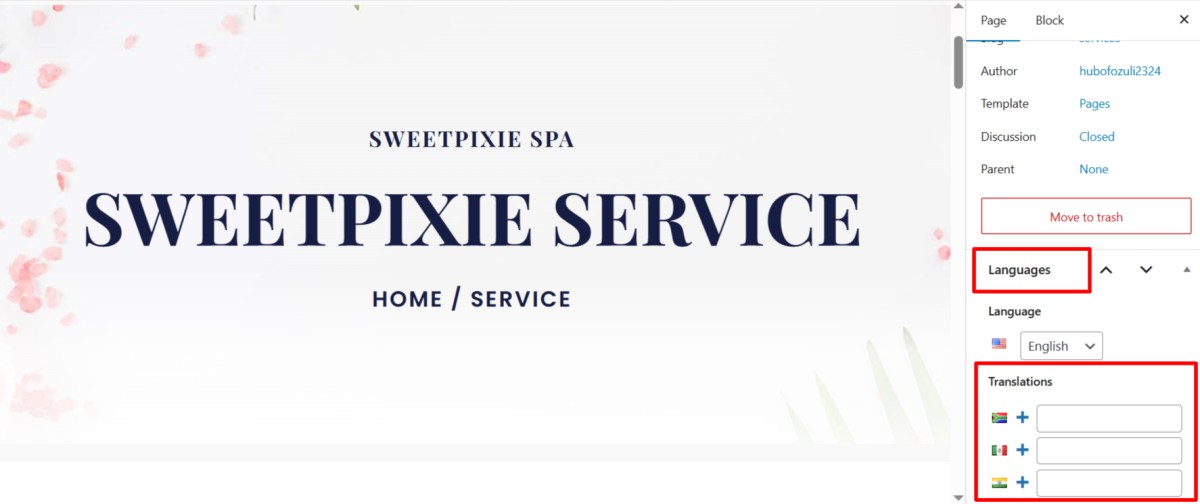
- Under Translations, click the “+” icon.
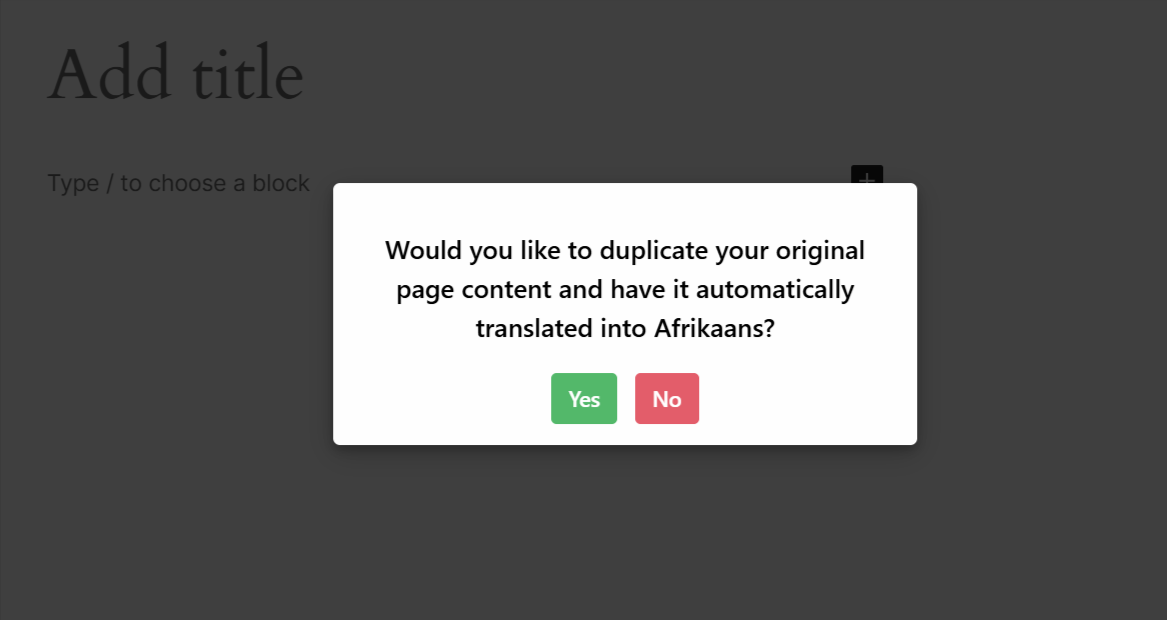
- A prompt will appear asking if you want to duplicate the original page content. Click “Translate Now” button.
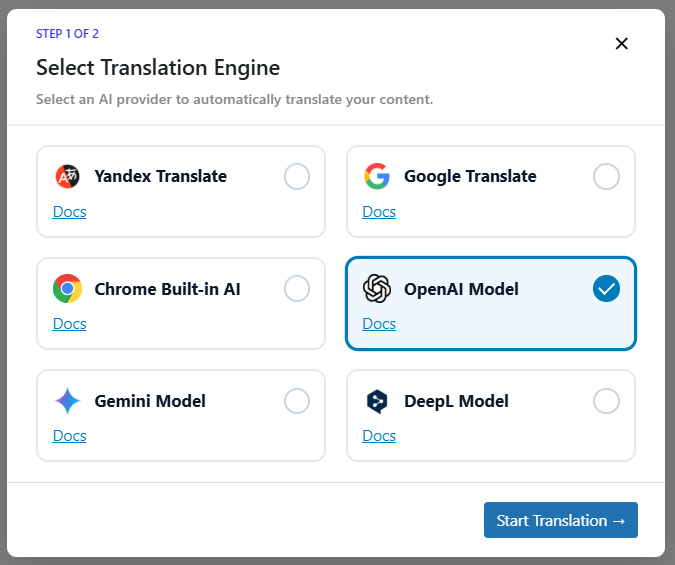
- Next, a new box titled Select Translation Engine will appear.
- To enable AI-powered translation. You have to enter the API Key. Go to Languages > AutoPoly > Settings from your dashboard.
Important: OpenAI translation requires a valid OpenAI API key. The OpenAI key is not included with the plugin and is not provided as part of the plugin ZIP file. To use OpenAI for automatic translations, you must purchase an OpenAI API subscription separately and generate your own API key from your OpenAI account.
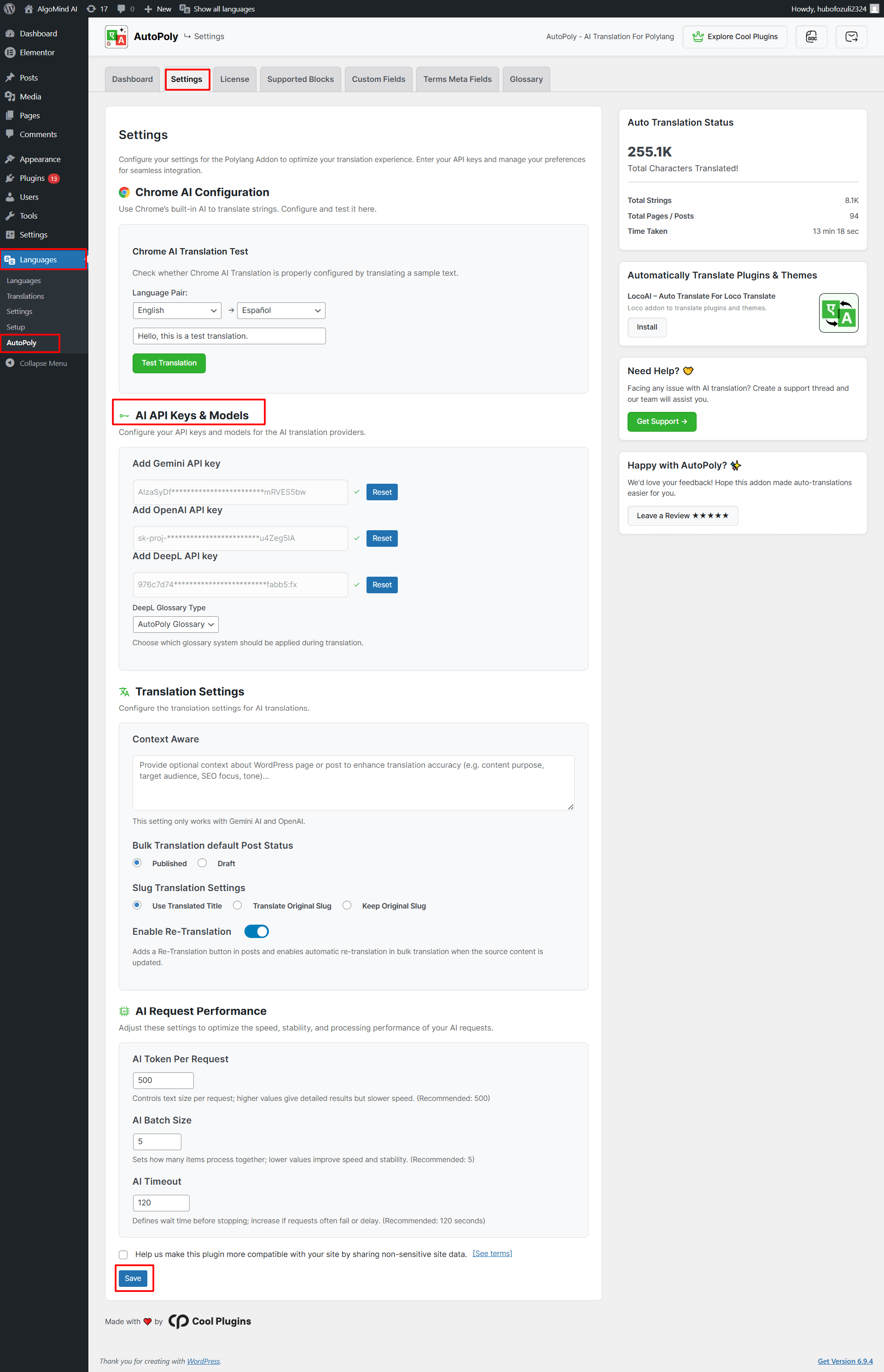
- Enter your OpenAI API key.
- After entering a valid API key, the AI Model Translation button will become active.
- Now, choose OpenAI as a translation provider.
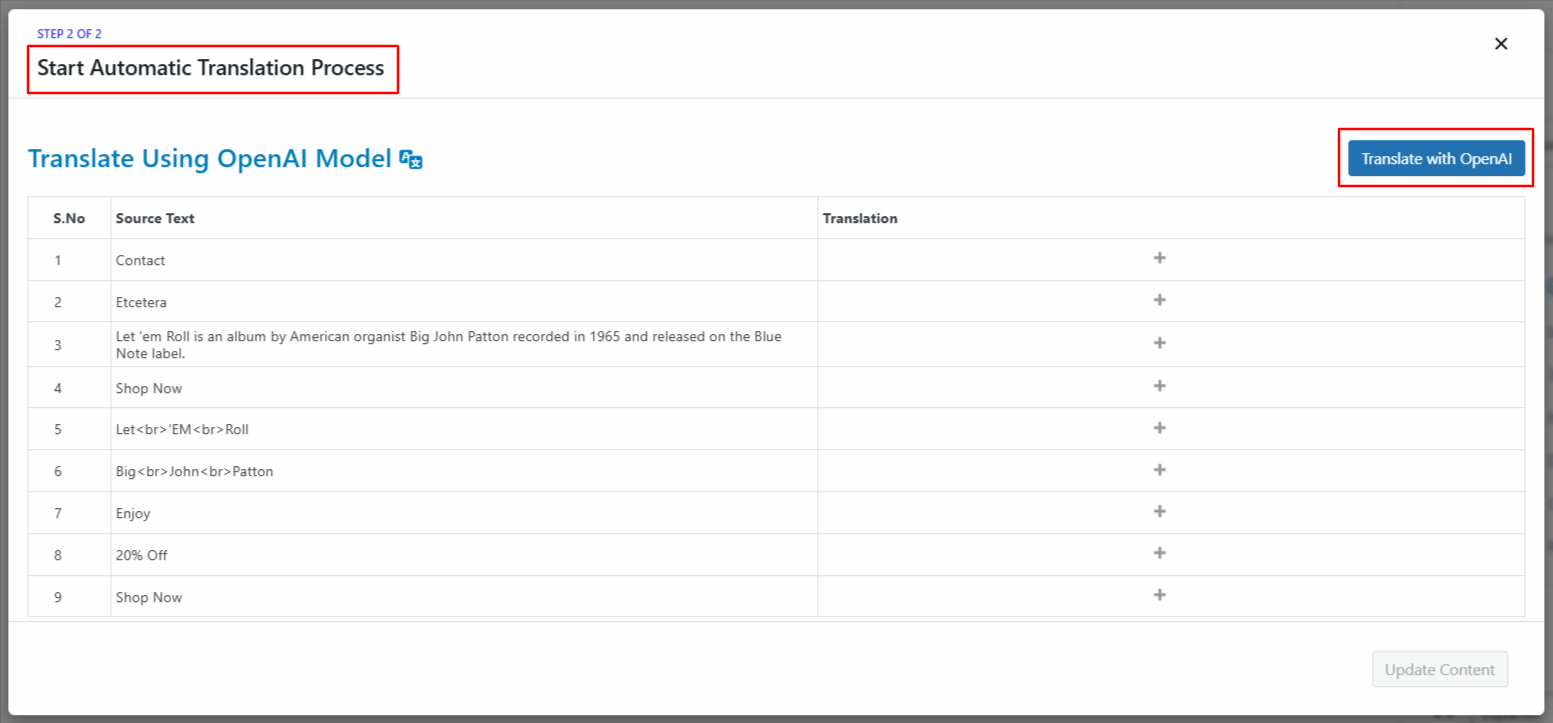
- Now, click the Translate button. The translation process will begin, and wait for a few minutes.
- After the translation completes, click Update Content.
- All content of the website will be translated into a selected language in a single click. Now, preview it and make manual edits to adjust translations for better accuracy.
That’s it! You have successfully translated your webpage via OpenAI using the AutoPoly – AI Translation For Polylang.