










Using AutoPoly – AI Translation for Polylang plugin, you can automatically translate your Elementor templates in one click via AI.
Automatic Template Translation
Follow the steps below to translate your elementor templates automatically:
- From your WordPress dashboard, navigate to Elementor > Editor > Templates > Saved Templates.
- Choose the template you want to translate and click on AI Translate.
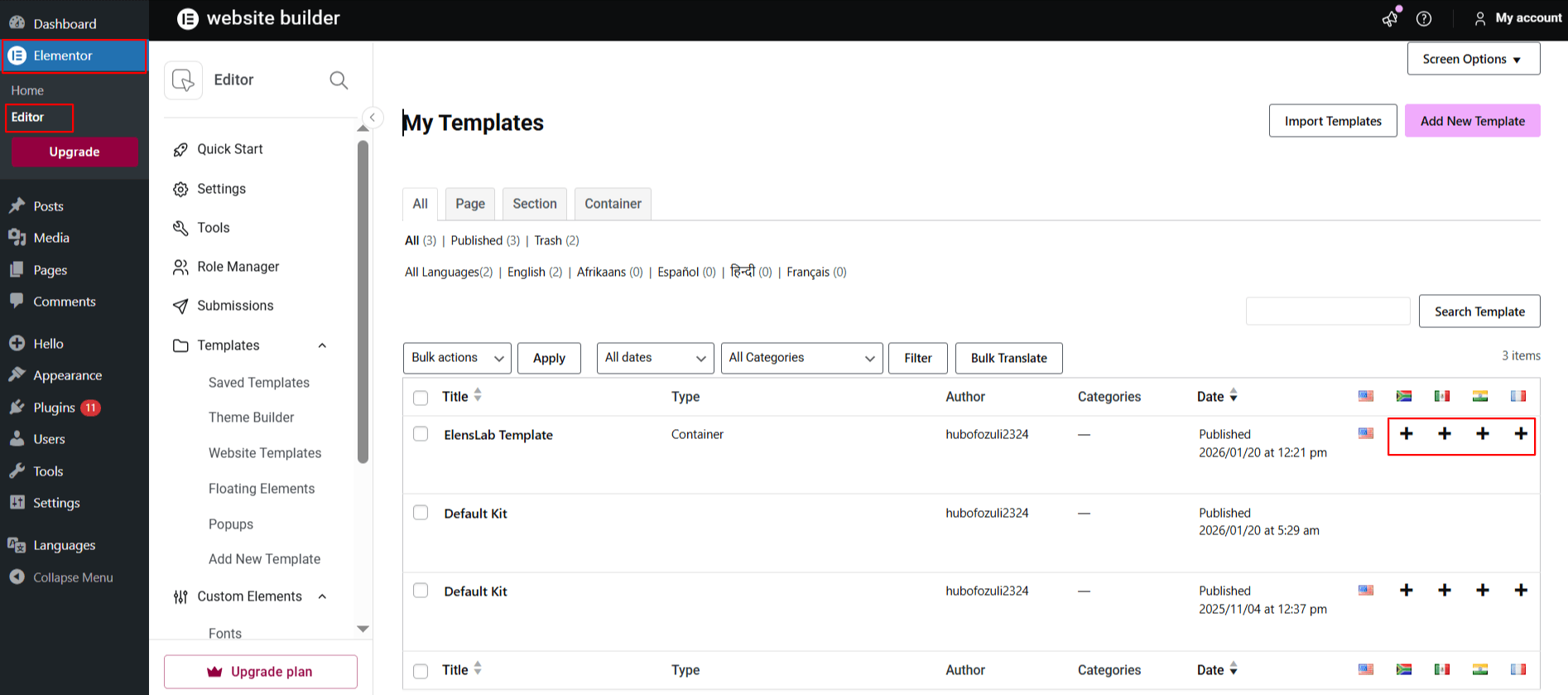
- A translation popup will appear.
- Here, choose the language you want to translate the page into.
- Next, select the translation provider you want to use.
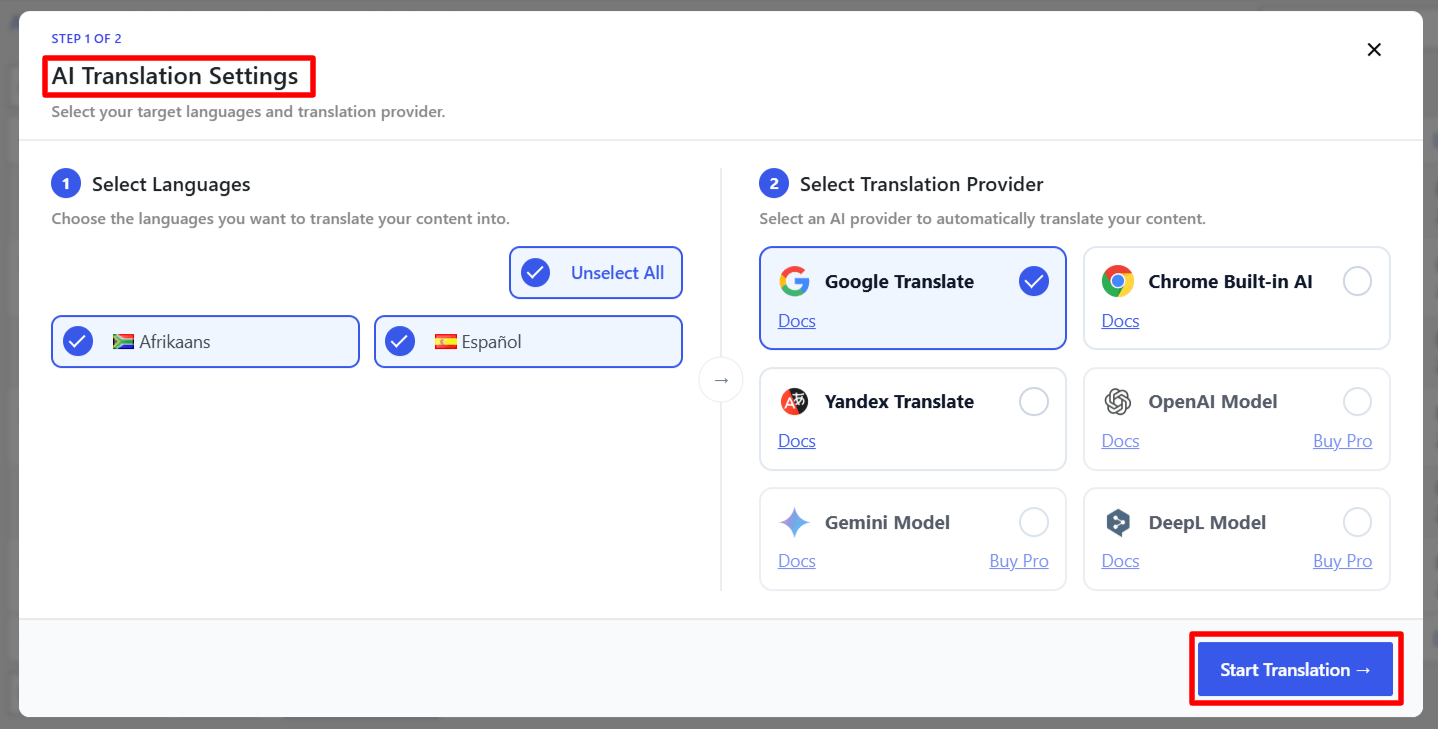
- Once you have selected the language and translation provider, click Translate.
- The translation will begin, the process may take some time depending on the amount of content on the page.
- All content of Elementor templates will be translated into a selected language.
- Preview the content and click publish.
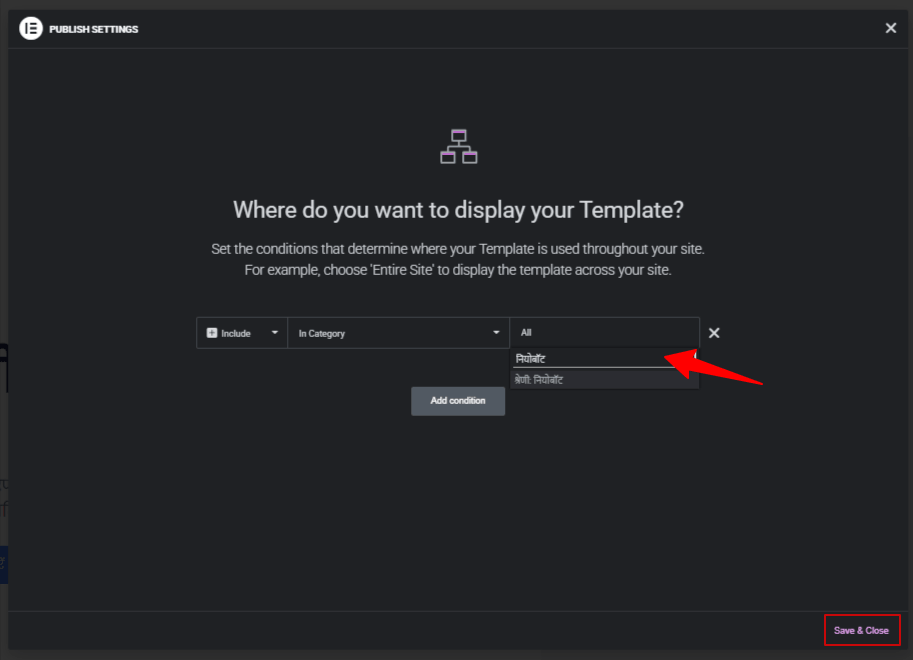
- The Display Conditions pop-up will appear.
Note: If your original template is assigned to a specific category, you must assign the translated version of that category in the display conditions of the translated template.
It is highly recommended to translate categories, tags, or custom taxonomies before translating your template content. This ensures that all taxonomy or category terms are already available in the target language.
- Choose the translated version of the category in the Display Conditions tab.
- Click save & close button.
That’s it! Your Elementor template is now translated and will display correctly based on the selected language and conditions.
Bulk Translate Elementor Templates
Follow the steps below to translate your Elementor templates all at once:
- From your WordPress dashboard, navigate to Elementor > Editor > Templates > Saved Templates.
- Use the checkboxes to select one or more templates you wish to translate.
- Once selected, click the Bulk Translate button at the top.
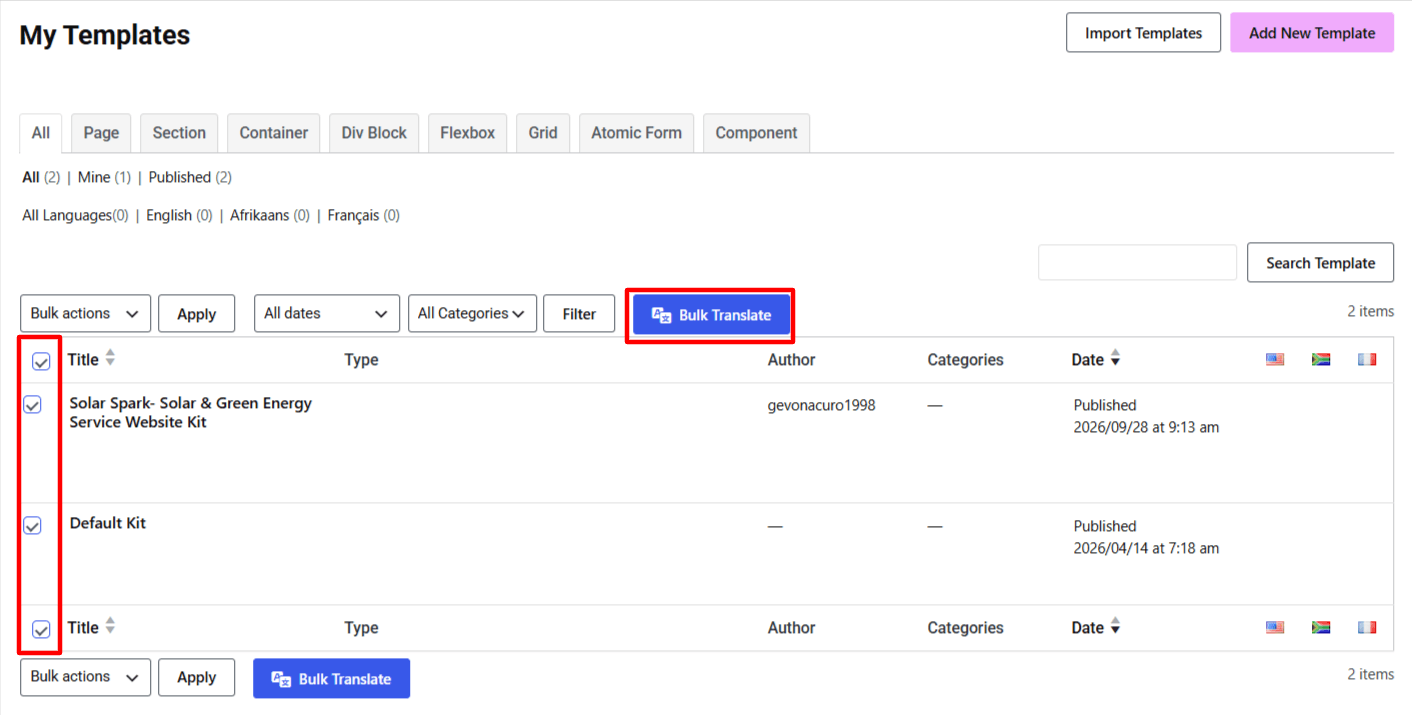
- A pop-up will appear, select the language you want to translate your templates into.
- Next, choose your preferred AI translation service.
- The translation process will begin automatically.
- After the process is complete, you can check the translated versions of the templates.