










The Untranslated Inspector feature in Toolkit for Polylang helps you identify untranslated content on individual pages of your multilingual WordPress website.
It allows you to check translation progress, find untranslated strings, and review translation issues directly from the frontend without manually checking every section of the page.
Follow the steps below to use the Untranslated Inspector.
Step 1: Start Inspecting
- Log in to your WordPress website.
- Open the translated page you want to inspect on the frontend.
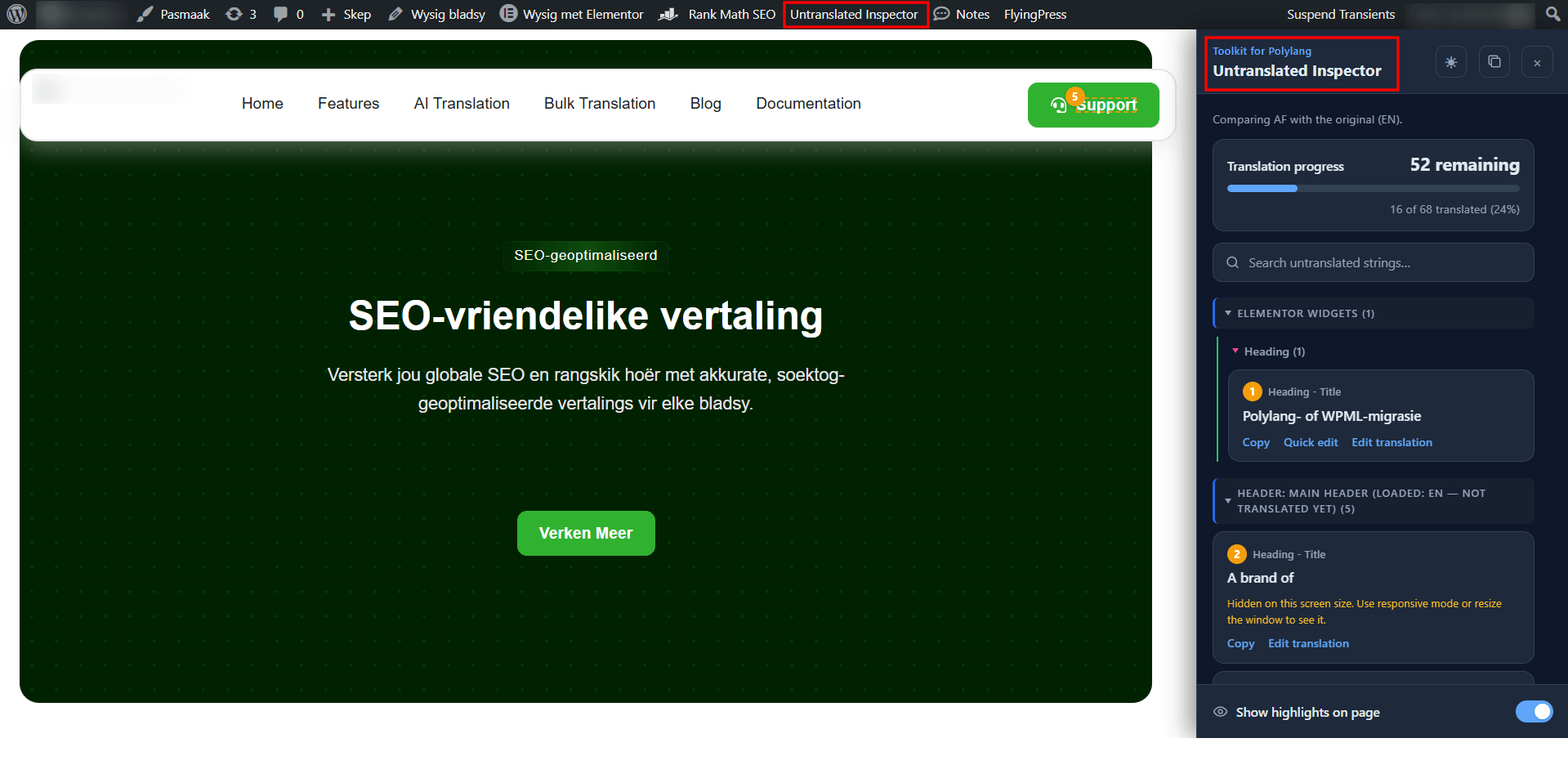
- From the WordPress admin bar at the top, click Untranslated Inspector.
- A sidebar will open on the right side of the page, displaying the untranslated content details.
Step 2: Review Untranslated Content
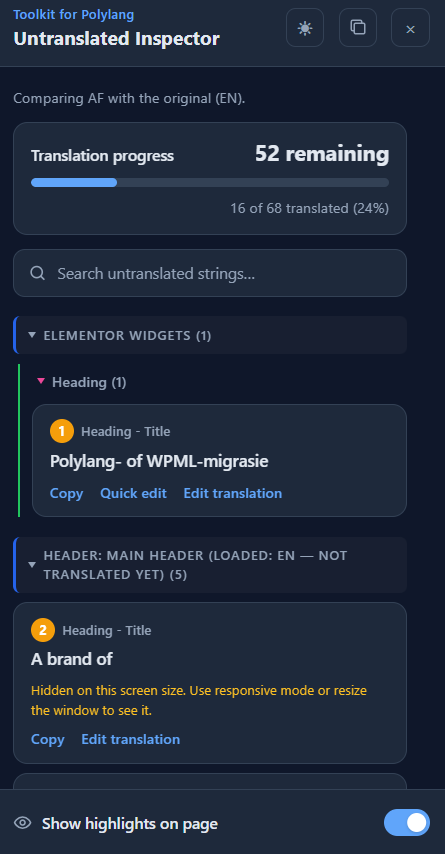
- Once the Untranslated Inspector sidebar opens, you can review the translation status of the current page. The sidebar displays:
- Translation Progress: Shows how much content has been translated and how many strings are still untranslated on the page.
- Untranslated Strings: Organizes untranslated strings by their source, such as Elementor widgets, headers, and other supported page elements, and shows information about individual untranslated strings so you can identify what needs attention.
- Show Highlights on Page: Toggle this on to highlight detected untranslated content on the frontend.
Step 3: Review and Manage Untranslated Strings
- Each detected string provides relevant actions to help you manage its translation. Depending on the string and the available options, you can:
- Copy: Copy the original string for reference or reuse.
- Quick Edit: Make a translation edit directly from the inspector, where supported.
- Edit Translation: Open the relevant translation interface to translate or update the string.
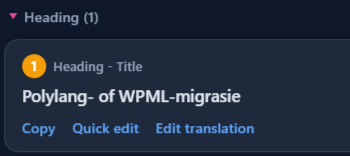
Use these actions to address untranslated content without having to locate each element manually in your page builder.
Step 4: Review Translation Progress
After updating your translations, review the page’s translation progress to identify any remaining untranslated content.
Additionally, continue reviewing the listed strings until the necessary content has been translated.