


The Language Switcher for Polylang addon allows you to add a Floating Language Switcher in a fixed position on your website, so visitors can switch languages without needing the switcher to be placed inside a page, post, or page builder layout.
This is useful when you want the language switcher to remain easily accessible across your multilingual website.
Follow the steps below to add the Floating Language Switcher:
Enable the Floating Language Switcher
- From your WordPress Dashboard, navigate to Languages > Language Switcher > Floating Language Switcher.
- You can use the preview panel to check its appearance while configuring the settings.
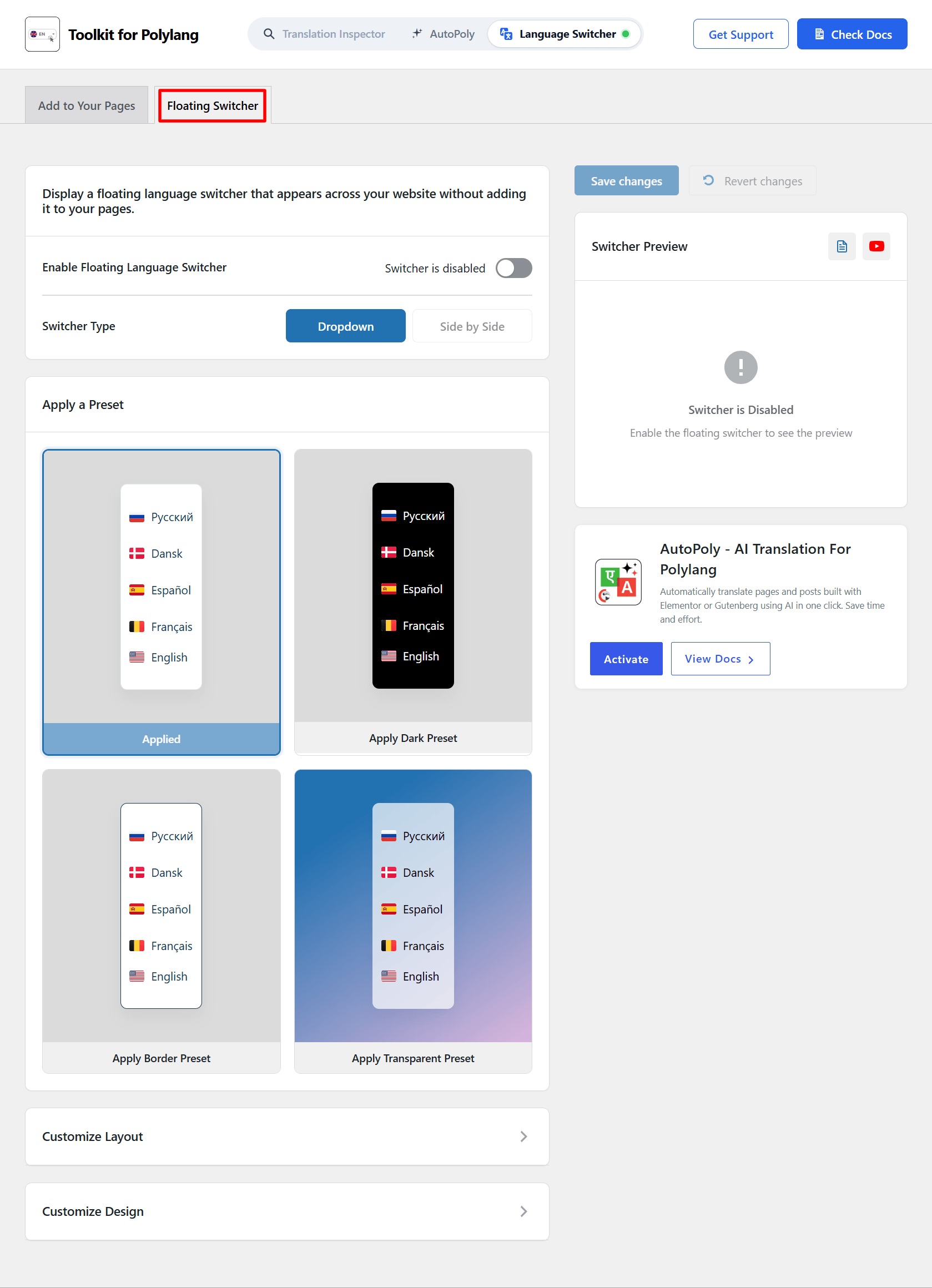
- Switcher Type: Choose the type of floating switcher from dropdown or side by side.
- Apply a Preset Style: Choose any one style for the floating language switcher.
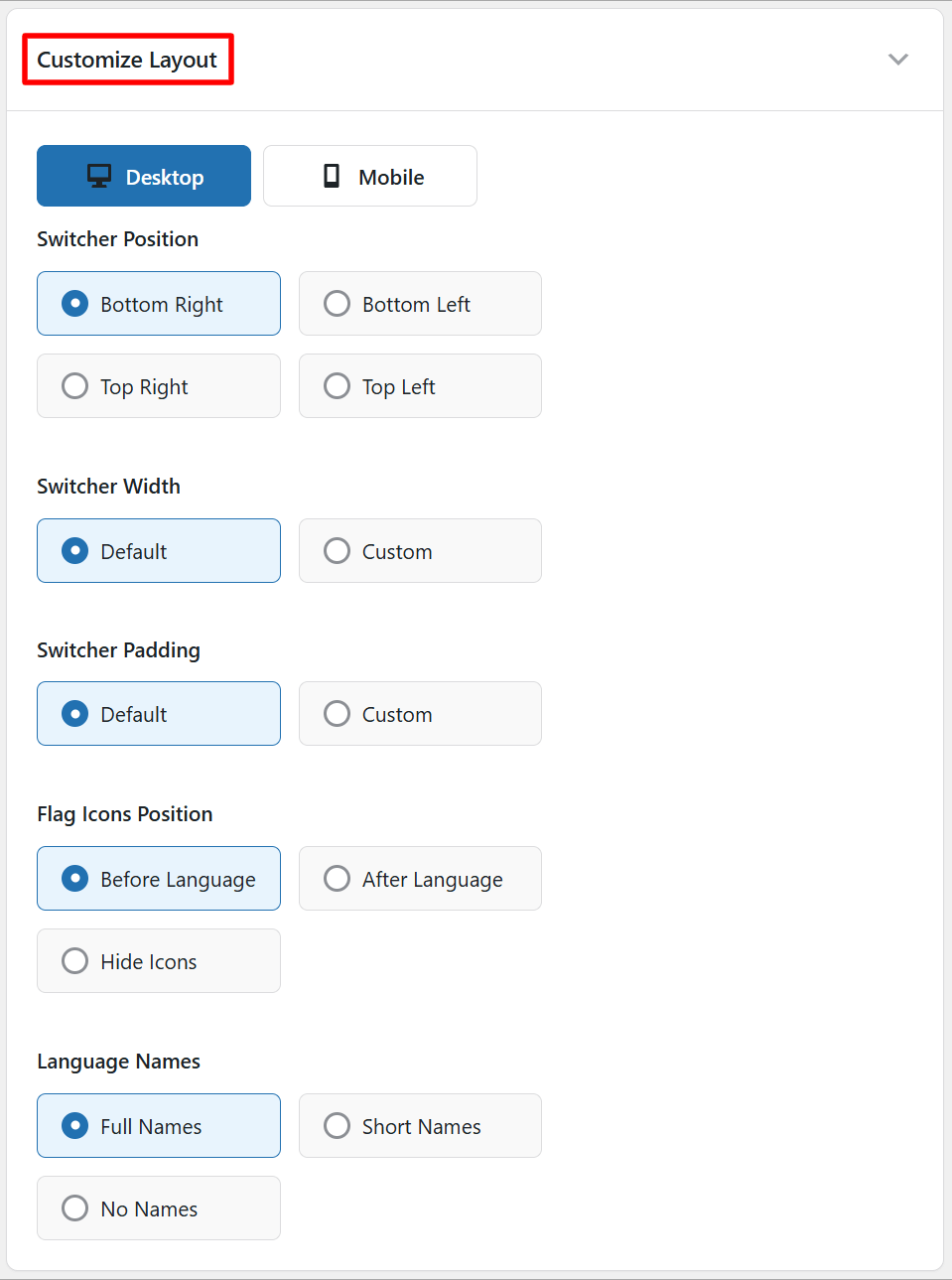
Customize Layout
Customize the layout of the floating language switcher using following settings:
- Desktop / Mobile: Choose which device layout you want to customize.
- Switcher Position: Choose where the floating switcher should appear.
- Switcher Width: Choose the default width or select Custom to set a custom width.
- Switcher Padding: Use the default padding or select Custom to adjust the spacing inside the switcher.
- Flag Icons Position: Display flag icons before language names, after language names, or hide them.
- Language Names: Display full language names, short names, or no names.
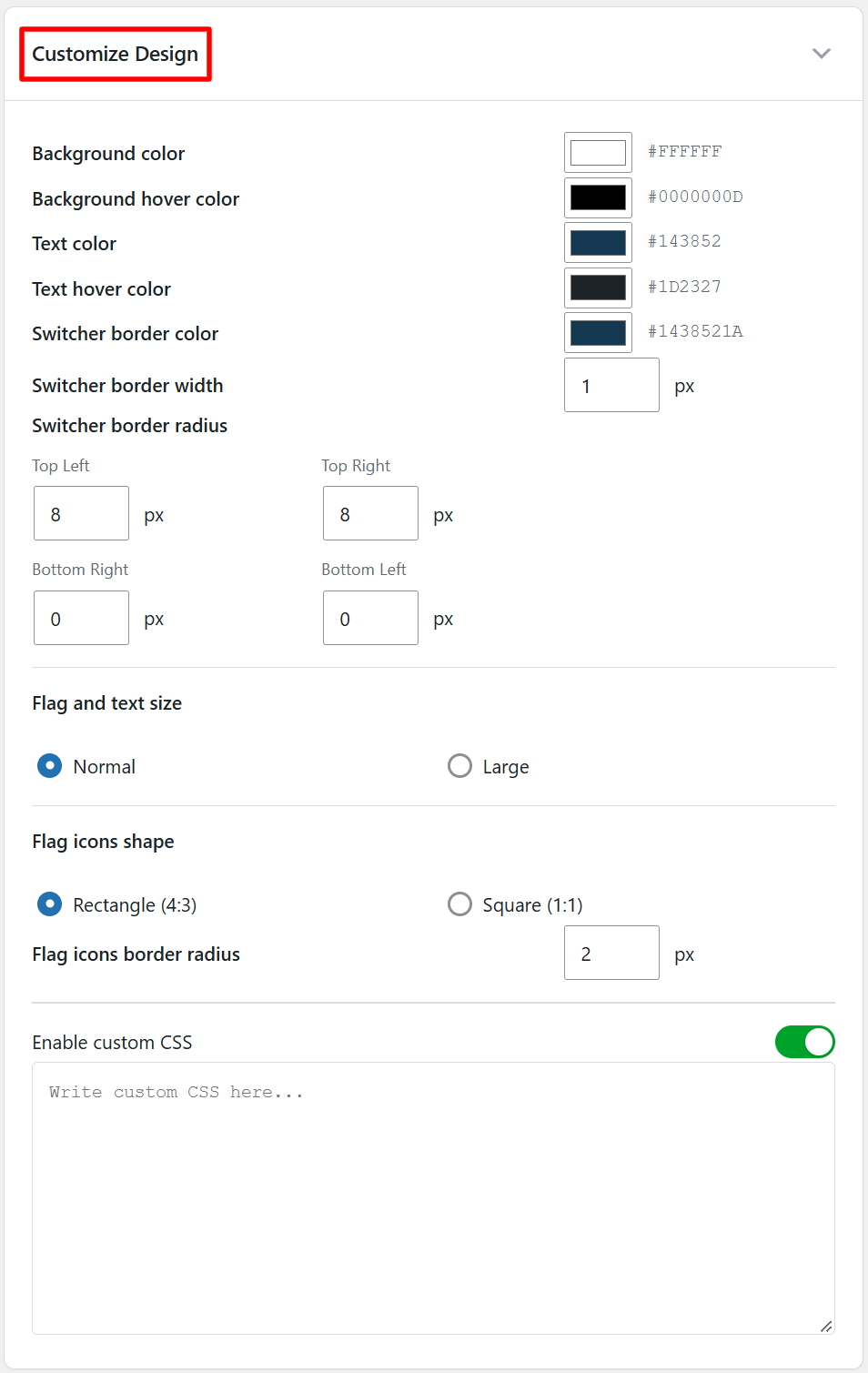
Customize Design
- Customize the appearance of the floating switcher by adjusting background color, text color, text hover color, border color, width, radius, and more.
- After satisfied, click Save Changes, your floating language switcher will be live.