


The AI Translation for Polylang addon helps you automatically translate your website using advanced AI translation providers.
It works alongside Polylang and lets you start translation directly from the WordPress Pages screen. You can choose the target language, select a translation provider, run the translation, and then review the translated page before publishing it.
Automatically Translate a Page/Post with AI
Follow the steps below to automatically translate a page:
Choose Page/Post
- From your WordPress dashboard, go to Pages or Posts.
- Choose the page you want to translate, then click AI Translate button to start the translation.
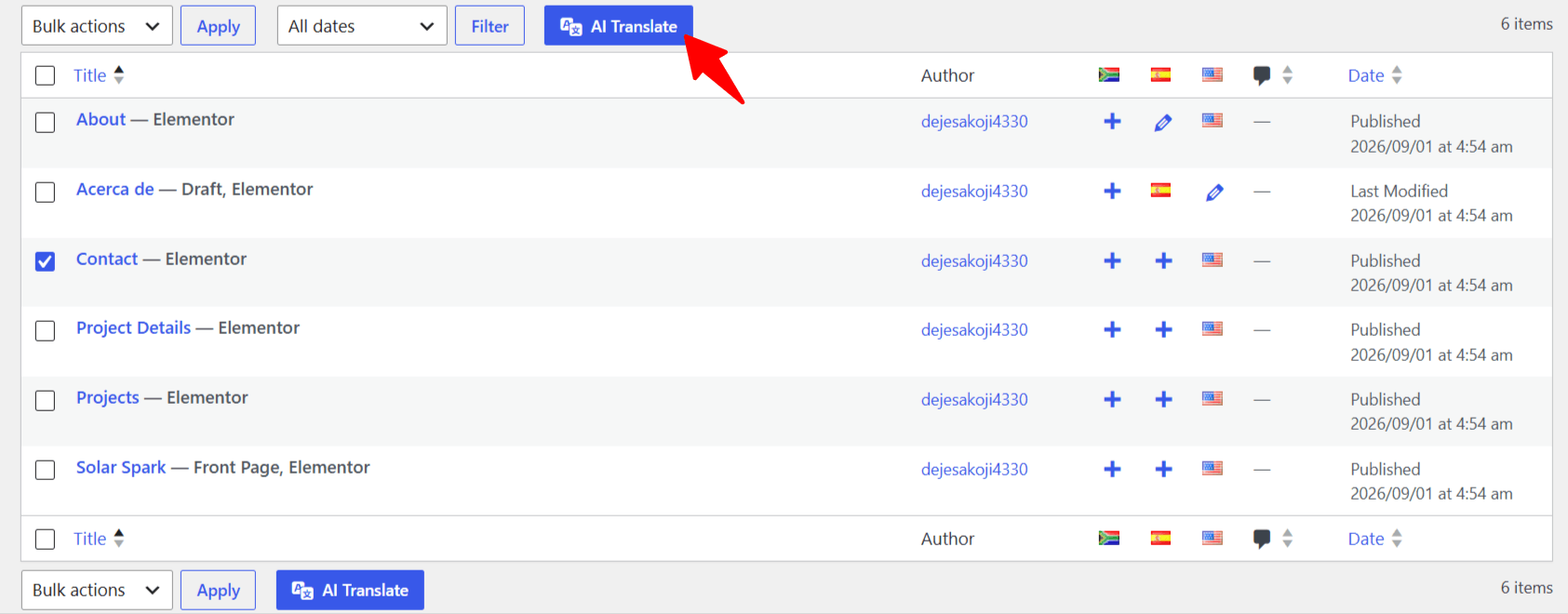
- Alternatively, you can:
- Find the page you want to translate and hover over its title.
- Click AI Translate button.
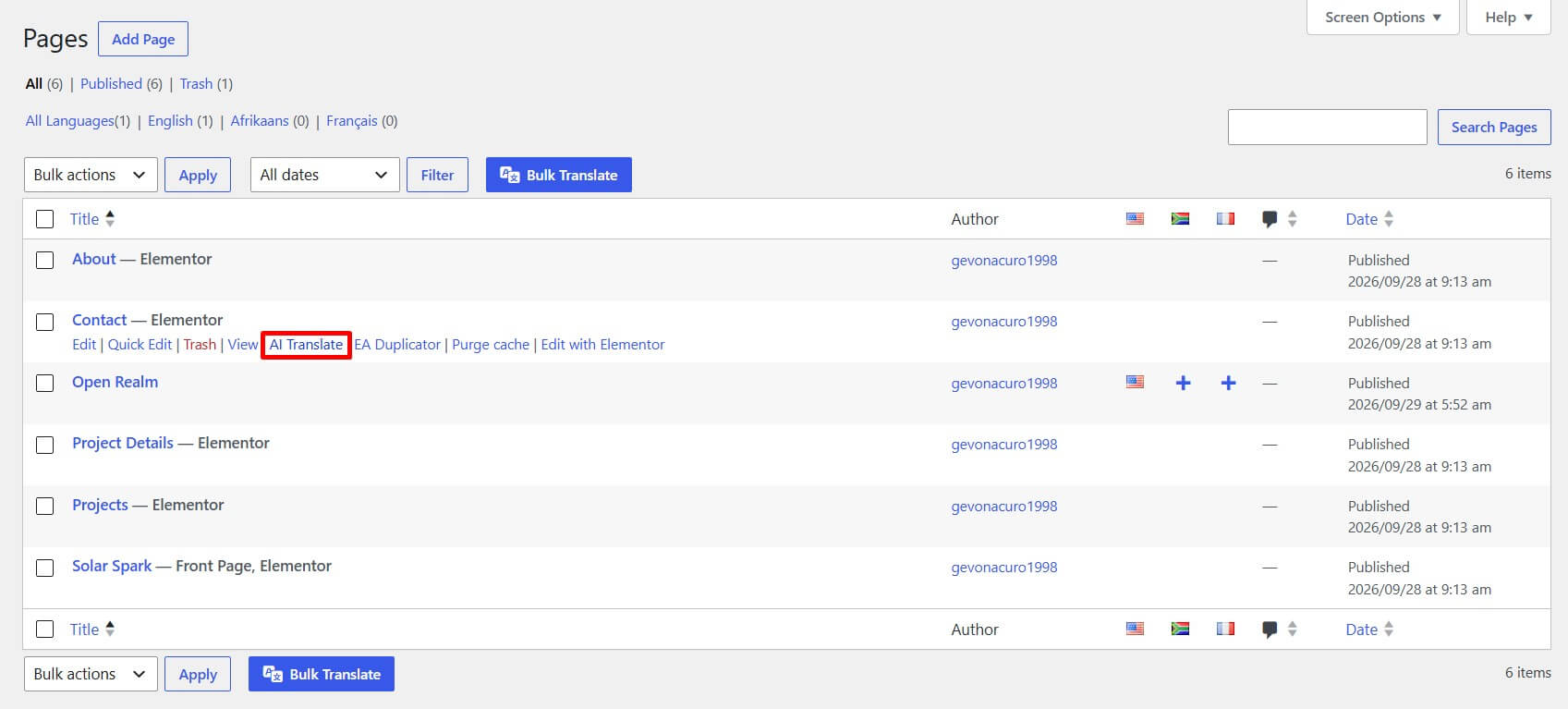
Choose Language and Translation Provider
After clicking AI Translate, a translation popup will appear.
- Choose the language you want to translate the page into, and select the translation provider you want to use.
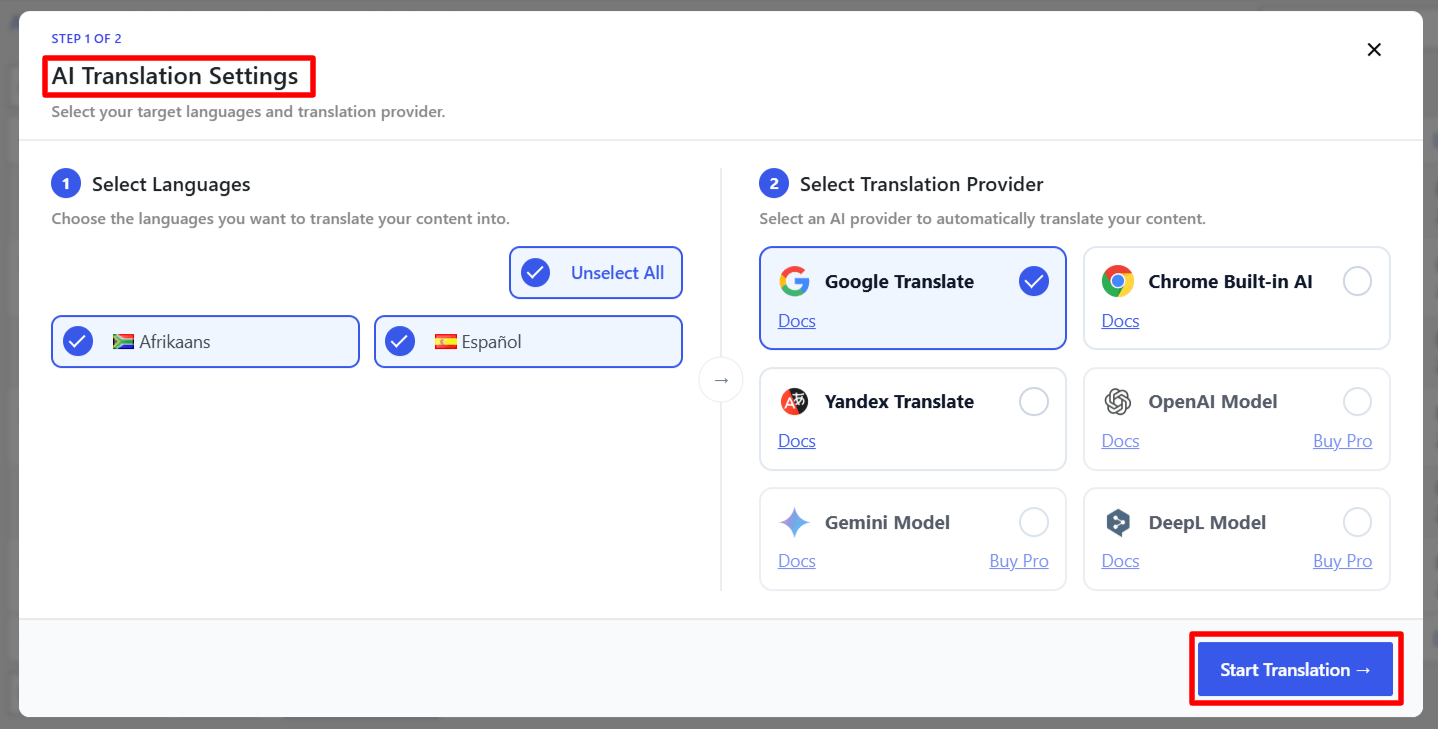
- Once you have selected the language and provider, click Start Translation.
- The translation process will begin. It will take some time depending on the amount of content on the page.
Review the Translated Page
- After the translation is complete, open the translated page and review the content. You can edit the translation if you want to make changes to the wording, formatting, or other content before publishing it.
For detailed setup instructions, supported translation providers, editor compatibility, bulk translation, re-translation, and advanced settings, refer to the AutoPoly – AI Translation for Polylang documentation.