


Using AutoPoly – AI Translation for Polylang plugin, you can automatically translate your Elementor templates in one click via AI.
Automatic Template Translation
Follow the steps below to translate your elementor templates automatically:
- From your WordPress dashboard, navigate to Elementor > Editor > Templates > Saved Templates.
- Use Polylang’s language options to add a translation for the desired language.
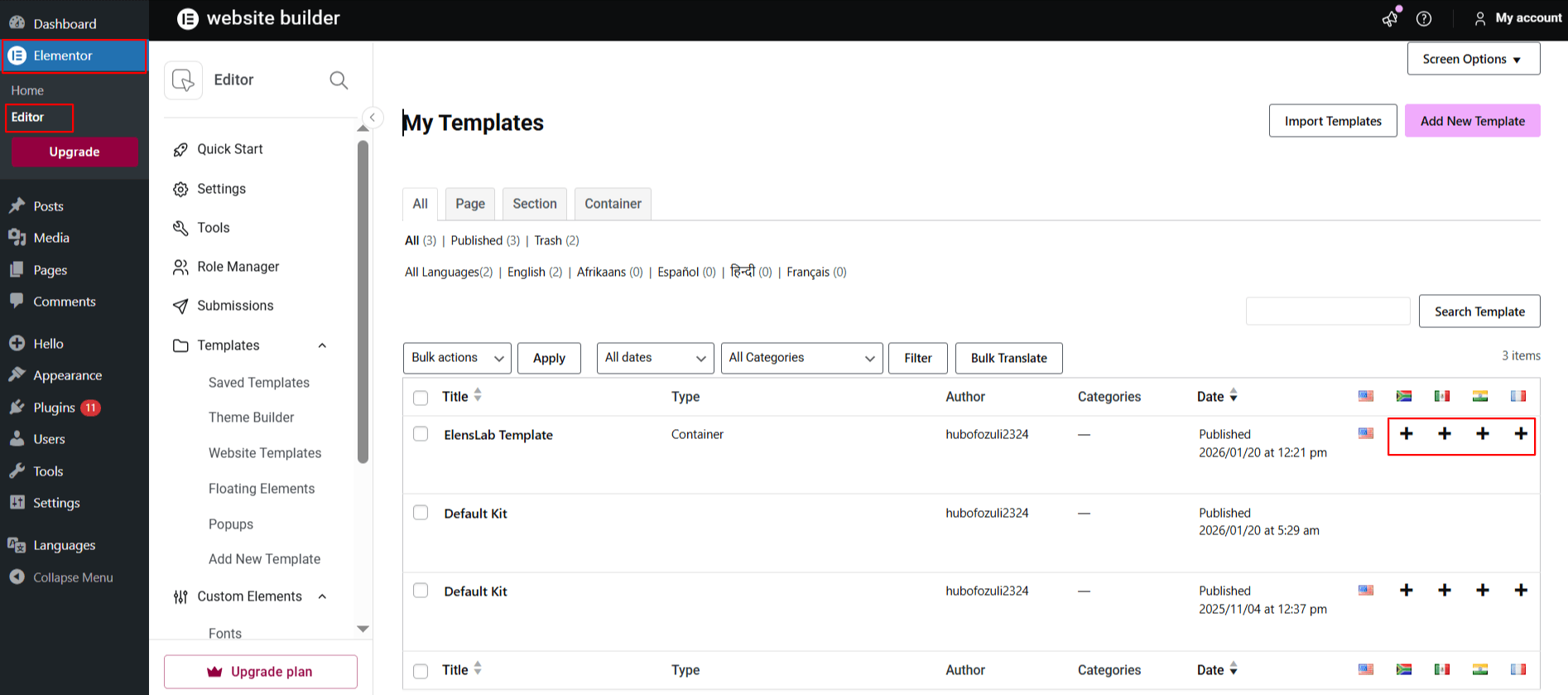
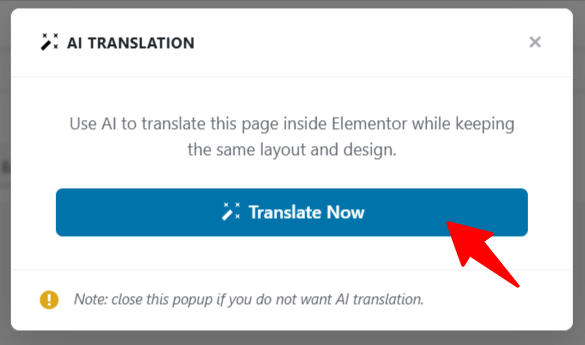
- A prompt will appear asking if you want to duplicate the original page content. Select “Yes”.
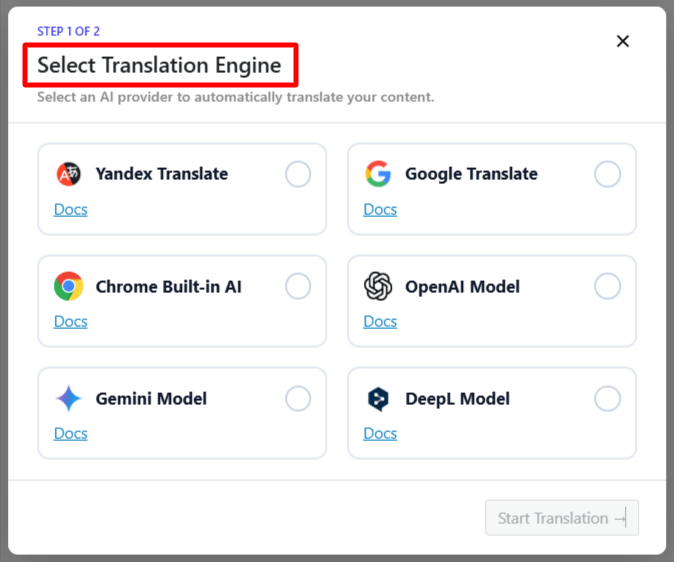
- Next, a new box titled Select Translation Provider will appear. Choose any translation provider according to your preferences.
- Once selected, a tab containing both the source text and translation text will appear.
- Select the language for translation. The translation process will begin, and wait for a few minutes.
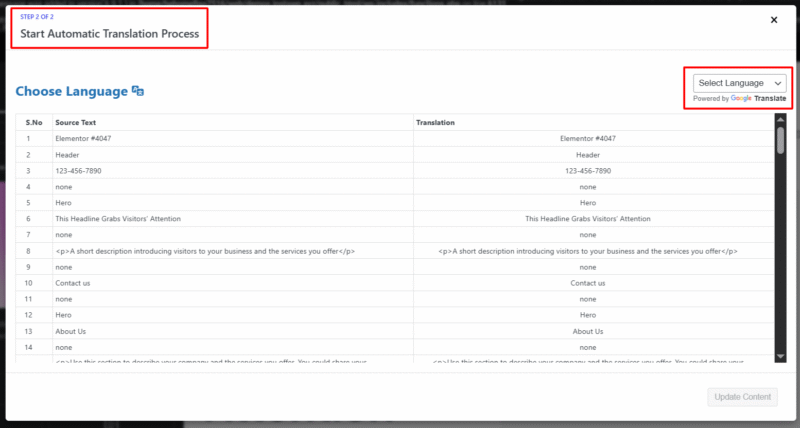
- After the translation completes, click Update Content.
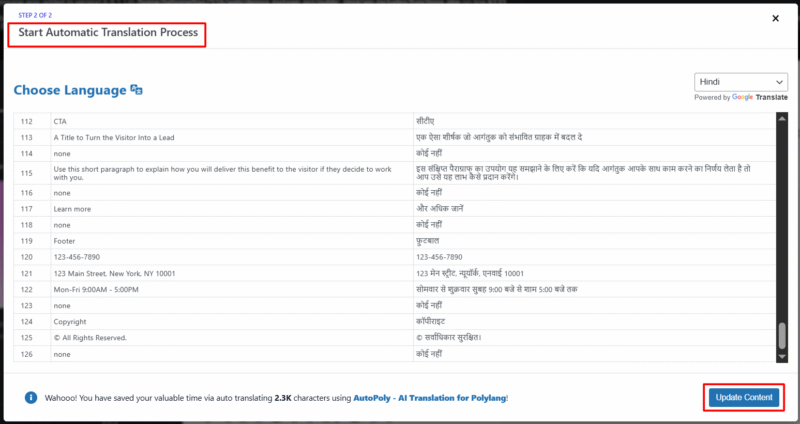
- All content of Elementor templates will be translated into a selected language.
- Preview the content and click publish.
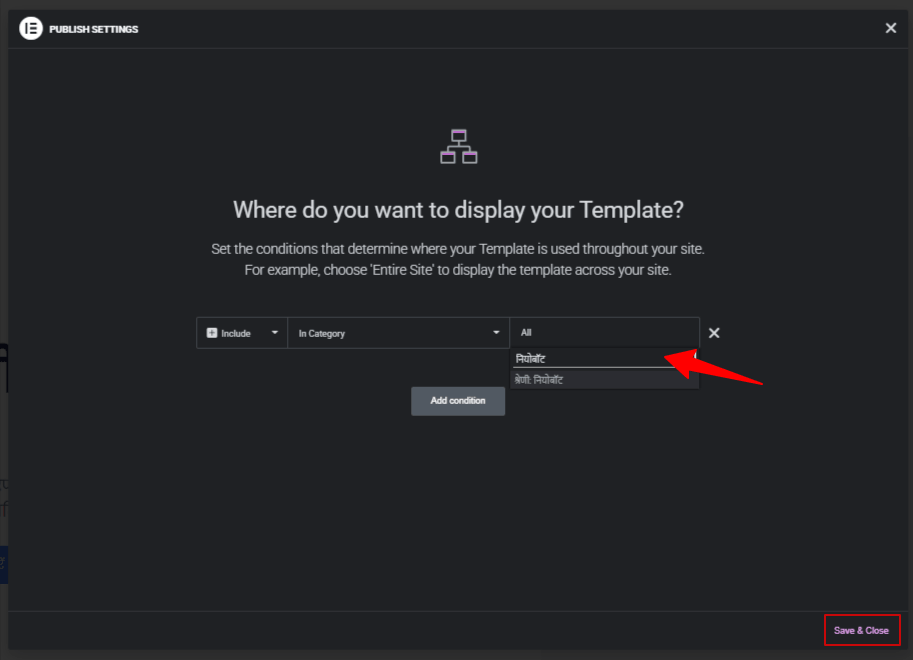
- The Display Conditions pop-up will appear.
Note: If your original template is assigned to a specific category, you must assign the translated version of that category in the display conditions of the translated template.
It is highly recommended to translate categories, tags, or custom taxonomies before translating your template content. This ensures that all taxonomy or category terms are already available in the target language.
- Choose the translated version of the category in the Display Conditions tab.
- Click save & close button.
That’s it! Your Elementor template is now translated and will display correctly based on the selected language and conditions.